 Skip to content
Keeping vehicle records accurate in Workshop Software ensures your service history, registration details, and customer associations are correct. This guide shows you how to loan car diary.
Once you have set up a Loan Vehicle (or multiple Loan Vehicles), you can now create a booking for that vehicle.
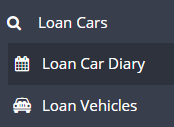
Go to Loan Cars > Click on Loan Car Diary
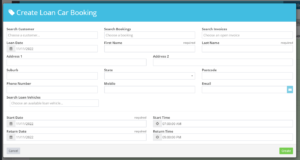
Fill in the Create Loan Car Booking page by either searching Customer or search Booking
OR
Fill in the the necessary fields and select Create.
Once you have created the loan it will then appear in the diary
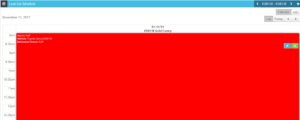
The more vehicles you have set up the more columns you will see in the Loan Car Schedule
Frequently Asked Questions
Can customers see this in the online booking diary?
If you have the public online booking diary enabled, customers can book appointments through it. The settings you configure here control what is available in the internal and/or public diary. Check your online booking settings for customer-facing options.
Do I need a specific subscription level for this feature?
Some features in Workshop Software are available on specific subscription plans. If you do not see the option described in the steps above, check your current plan or contact the Workshop Software team to find out if an upgrade is required.
