 Skip to content
This guide walks you through how to sell a unit in Workshop Software. Follow the steps below to complete this task.
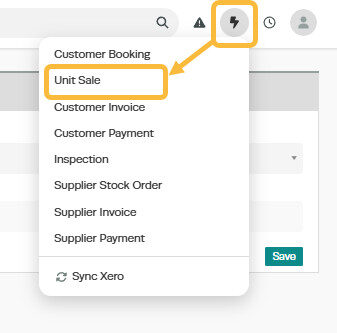
1. To make a new sale of a unit, open the ‘+‘ menu at the top right of the page and select ‘Unit Sale‘.
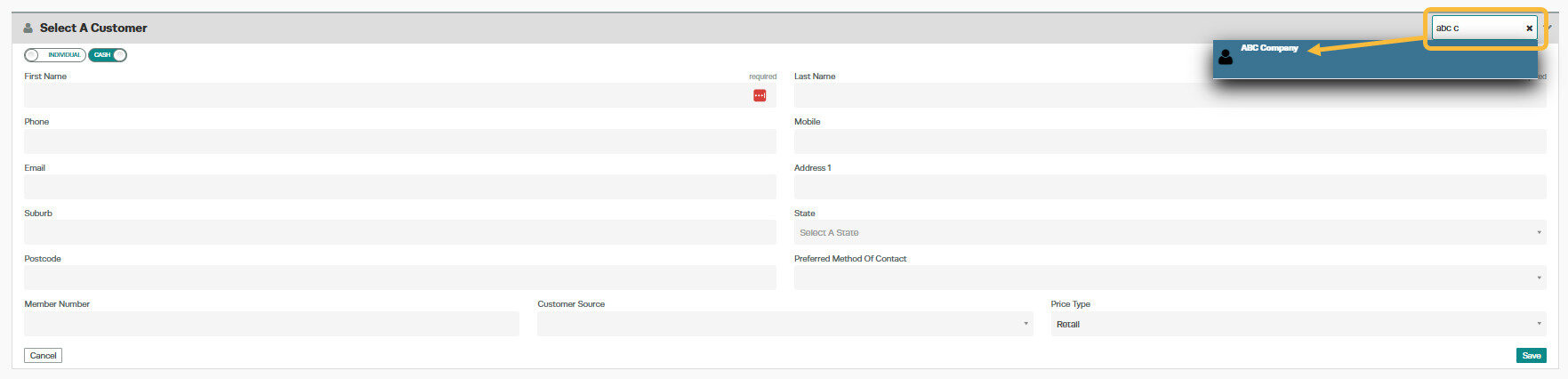
2. Select the Customer who you wish to sell the Unit to, or add a new customer;
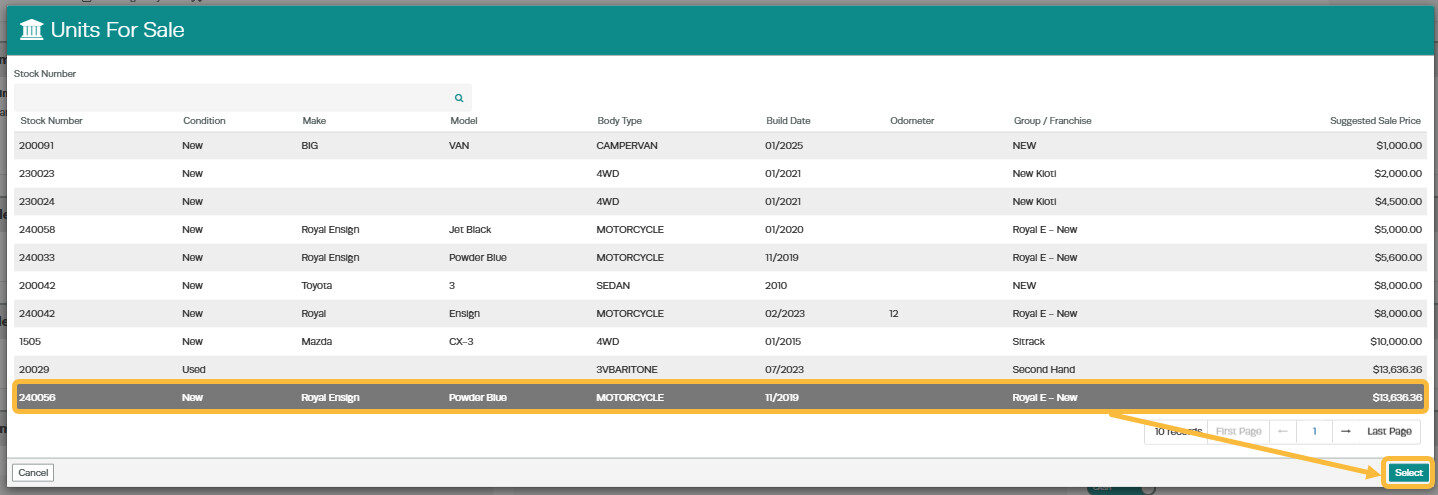
3. Select the Unit which you are selling from the ‘Units for Sale‘ list and press ‘Select‘;
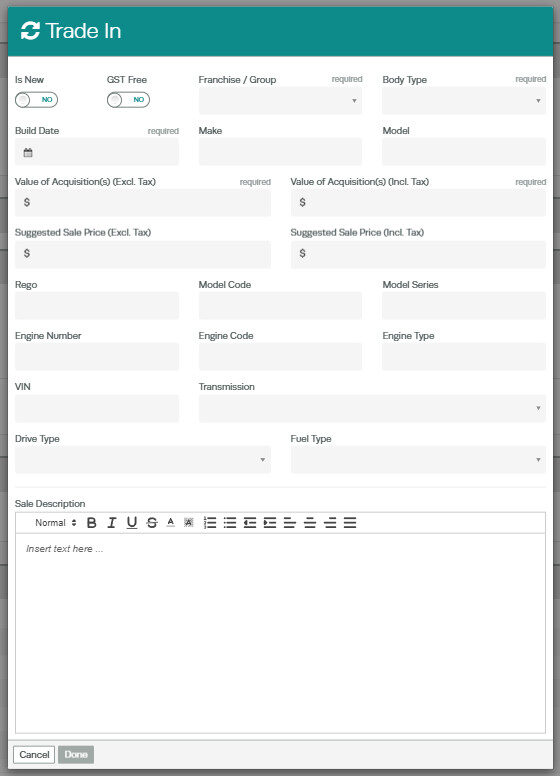
4. If the customer is trading a vehicle in, select the ‘Trade In‘ option;
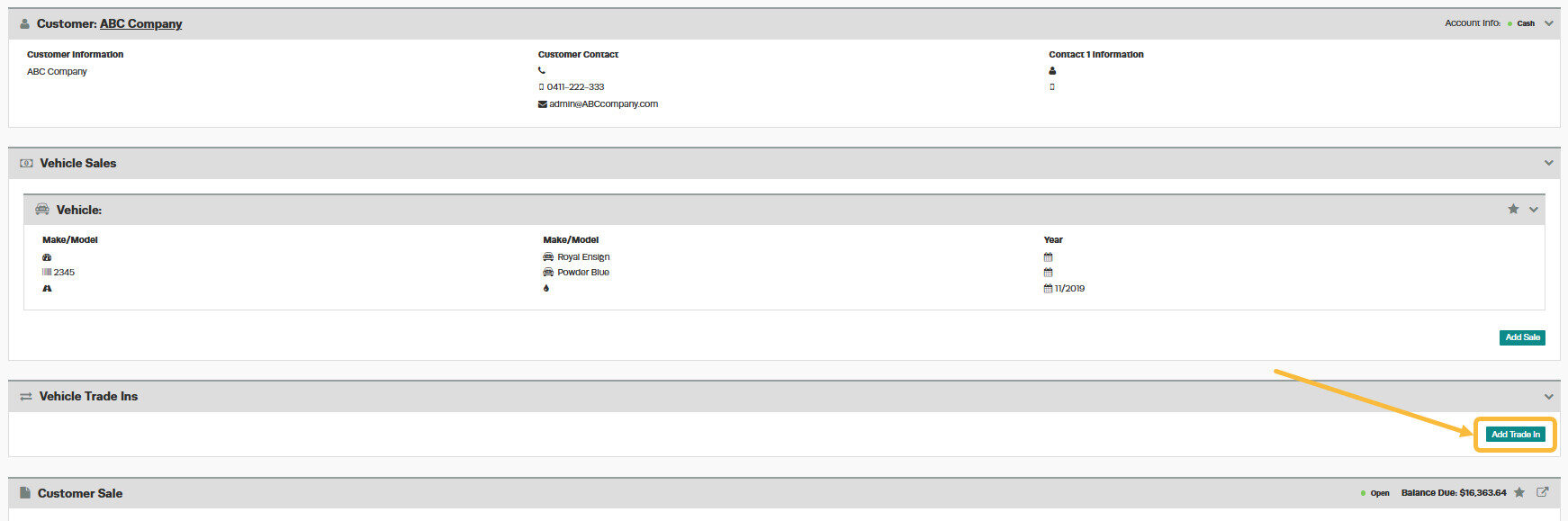
5. Fill in the details of the trade-in vehicle;
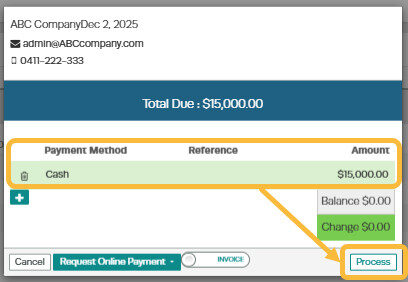
6. Select the ‘Process‘ button on the invoice and fill out the payment details for the transaction and press ‘Process‘.
Frequently Asked Questions
Do I need a specific subscription level for this feature?
Some features in Workshop Software are available on specific subscription plans. If you do not see the option described in the steps above, check your current plan or contact the Workshop Software team to find out if an upgrade is required.
