 Skip to content
The Invoice Activity Log tracks all actions taken on an invoice, including who made each change and when. This is useful for auditing and understanding the history of a record.
What the Activity Log Records
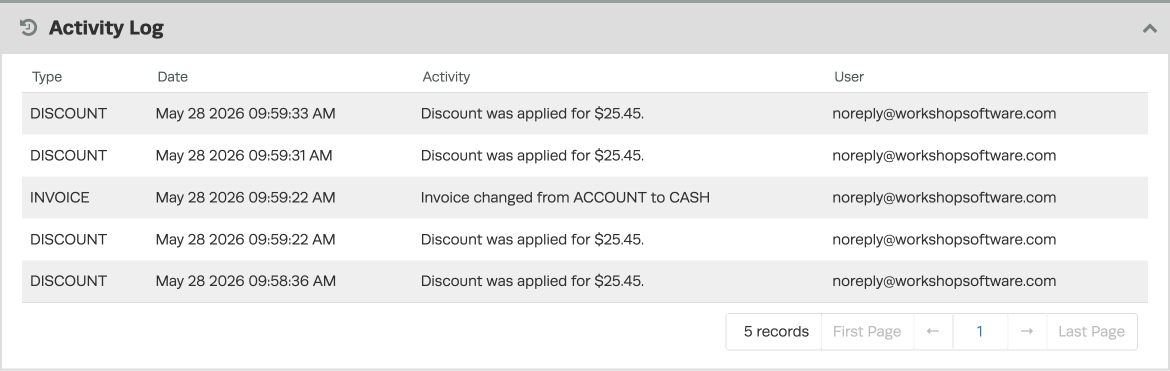
The following actions are automatically recorded with a time and date stamp, along with which user made the change:
- When an invoice is emailed or sent via SMS
- When a deposit or discount is added or removed
- Change of account type
- Change of customer
Step 1: Open the Invoice
- Open the invoice you want to review.
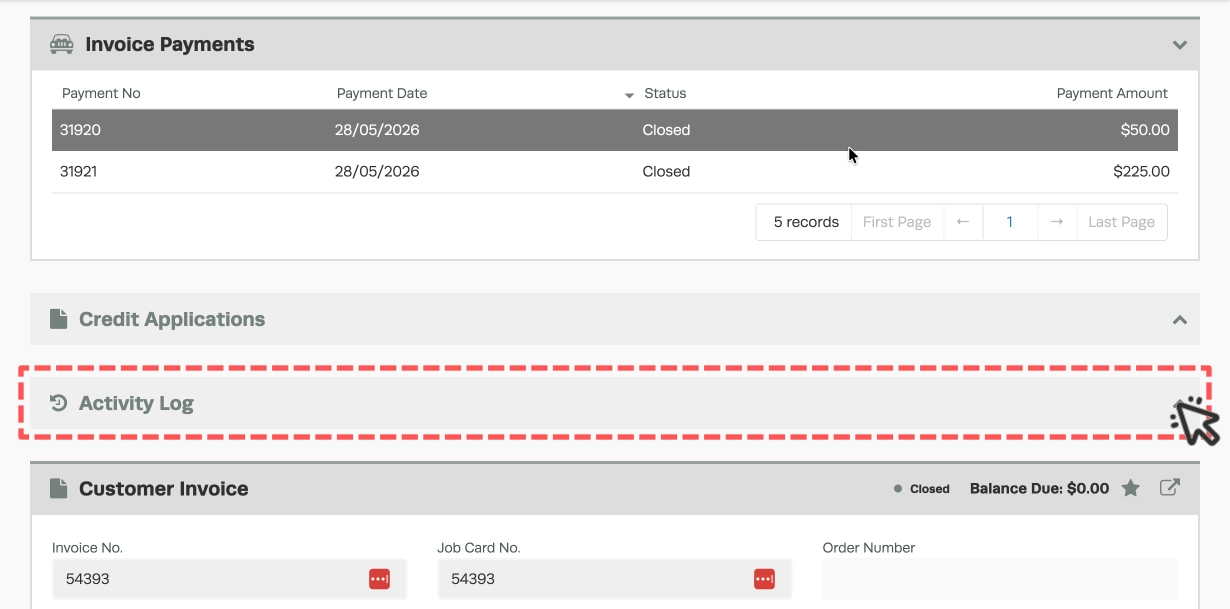
- Scroll down to the Activity Log section banner on the invoice and click the arrow on the right to open the Activity Log.
Step 2: Review the Activity Log
- Each entry shows the action taken, the user who performed it, and the date and time.
Good to Know
- Activity log entries are created automatically — you do not need to enable this feature.
- The log is read-only and cannot be edited or deleted, ensuring a reliable audit trail.
- Double-check the details on your invoice before finalising to ensure accuracy for your customer and your records.
Frequently Asked Questions
Can I export the activity log?
The activity log is currently viewable on-screen only. For detailed reporting, use the Reports section in Workshop Software.
Does the activity log track every change to an invoice?
The log tracks key actions such as emails sent, deposits, discounts, account type changes, and customer changes. Minor edits to line items may not appear in the log.
