Skip to content
Keeping vehicle records accurate in Workshop Software ensures your service history, registration details, and customer associations are correct. This guide shows you how to view vehicle history from the mobile app.
Users may review past work on a vehicle and view past invoices (open, processed or closed) from the mobile app.
Please note: This is a feature available for gold subscription users.
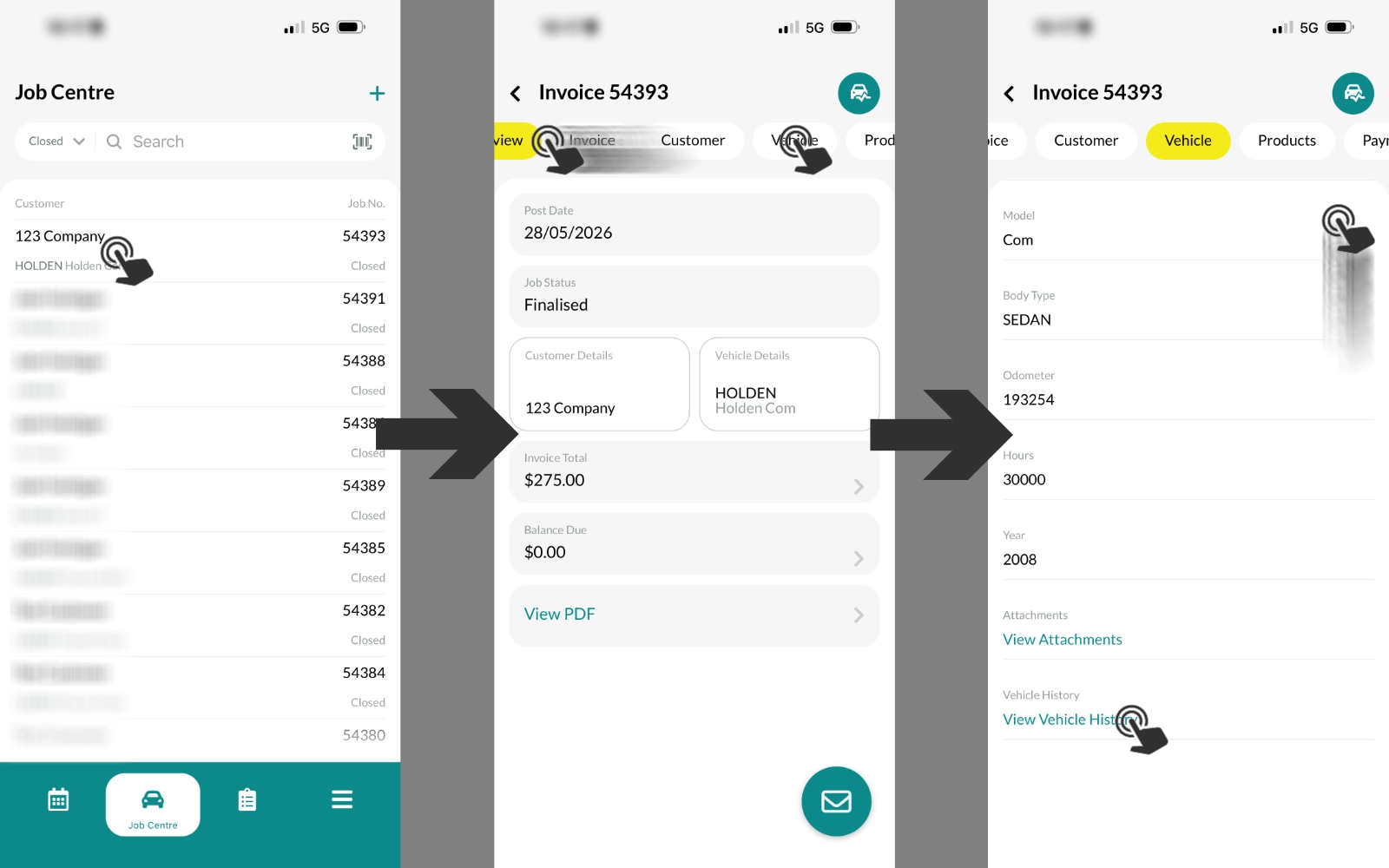
To access a Vehicle choose an Invoice inside the Job Centre, navigate to the Vehicle tab and scroll down to tap View Vehicle History.
Other Invoices for this vehicle will be displayed with their current status, tap an invoice to open the Invoice.
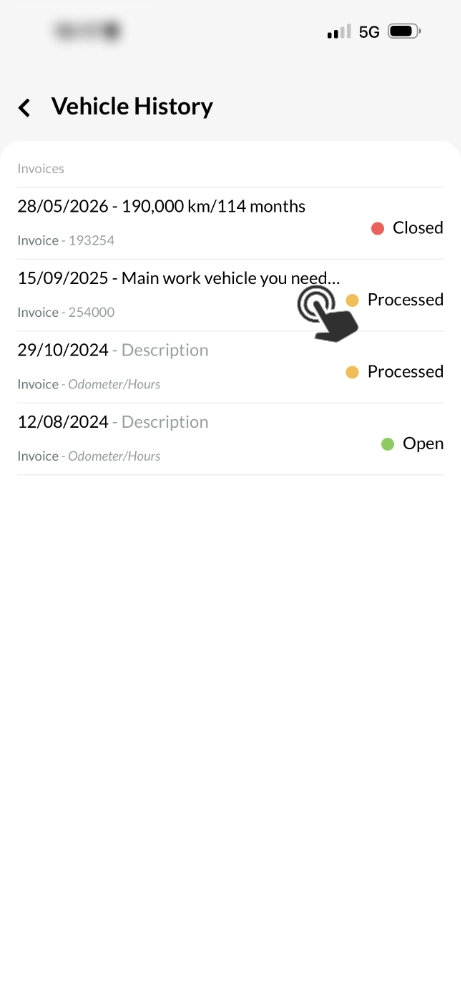
Invoice entries, Product line items, Payments, Notes, Attachments, attached Inspections and Customer details may be reviewed in the appropriate Tab.
Good to Know
- This feature is only available on the Workshop Software mobile app if you have mobile access enabled on your account.
Frequently Asked Questions
Do I need a specific subscription level for this feature?
Some features in Workshop Software are available on specific subscription plans. If you do not see the option described above, check your current plan or contact the Workshop Software team.
Related Articles
- Barcode Scanner on the Mobile App
- Mobile App Invoice Functionality
- Enabling New Features in the Mobile App