 Skip to content
Integrating Carfax Vin Lookup with Workshop Software connects the two systems so data flows between them without manual entry. Once set up, this integration saves time and reduces the chance of errors when working across platforms. Follow the steps below to configure the integration.
This guide provides step-by-step instructions for using the Free Carfax integration to automatically populate vehicle information.
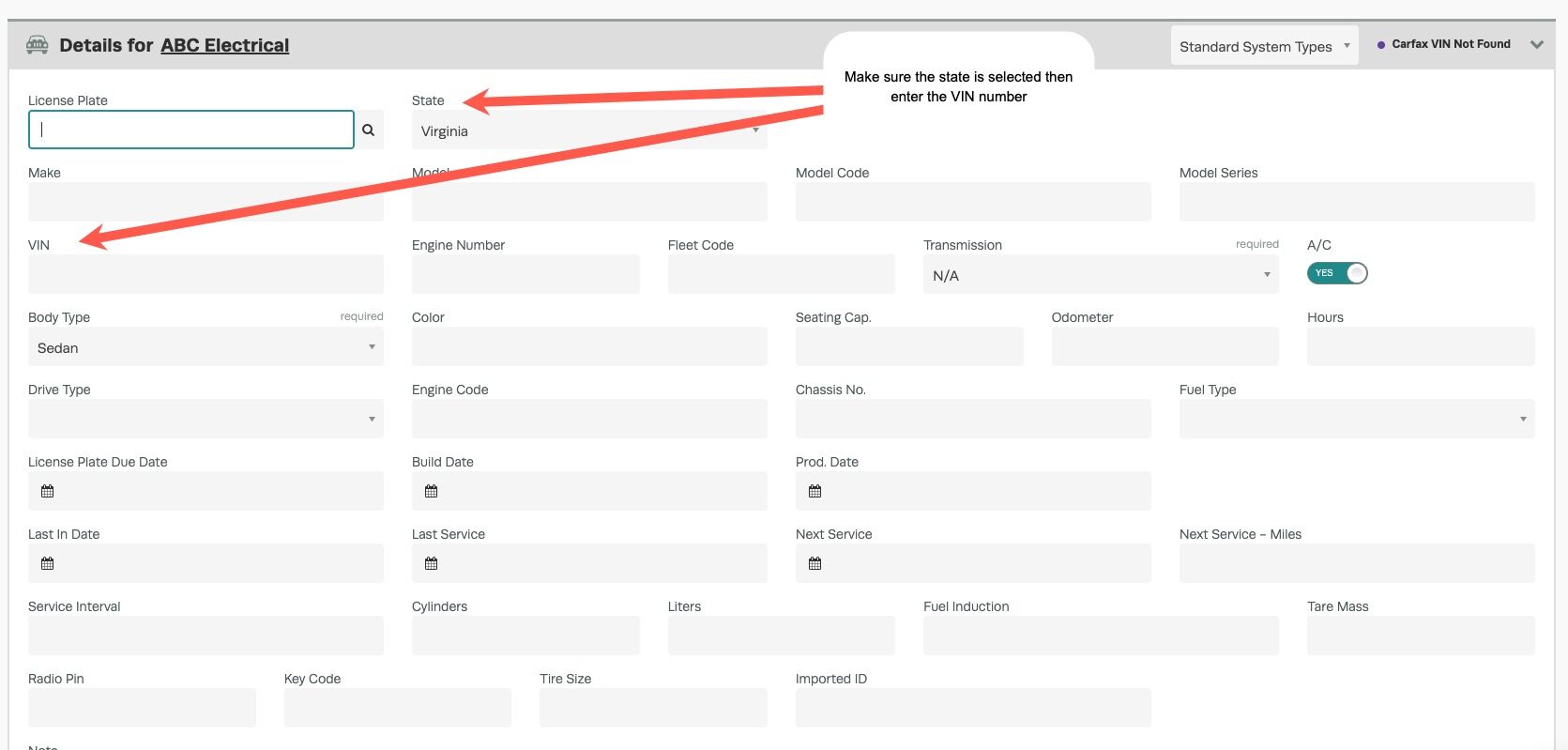
The Carfax integration now supports searches by VIN (Vehicle Identification Number) as well as by licence plate number.
Please note that this integration is exclusively available to Silver and Gold members and is currently restricted to users in North America.
First, you will need to set up your Carfax integration : https://staging.workshopsoftware.com/knowledge-base/automotive-integrations/integrate-carfax/
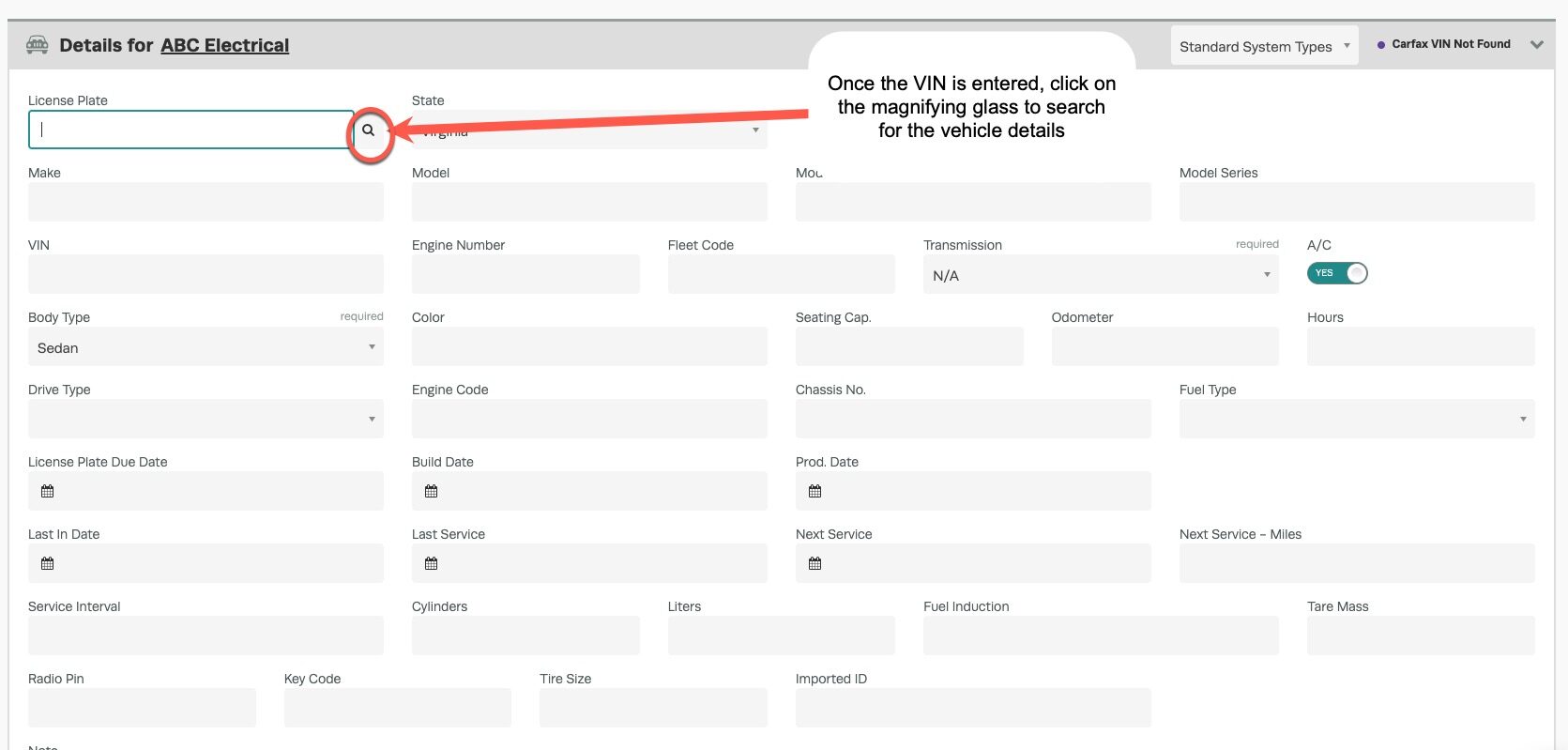
2. After the fields are entered, click the magnifying glass button to view the results. Then Save
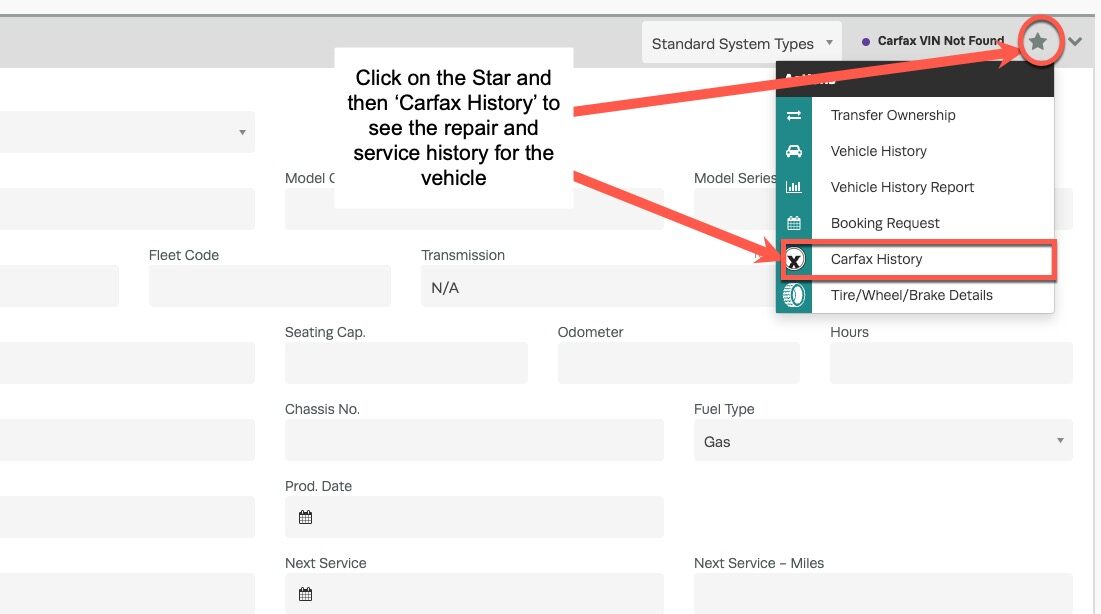
3. You can also view the complete Carfax vehicle history by clicking the star button and selecting ‘Carfax History’.
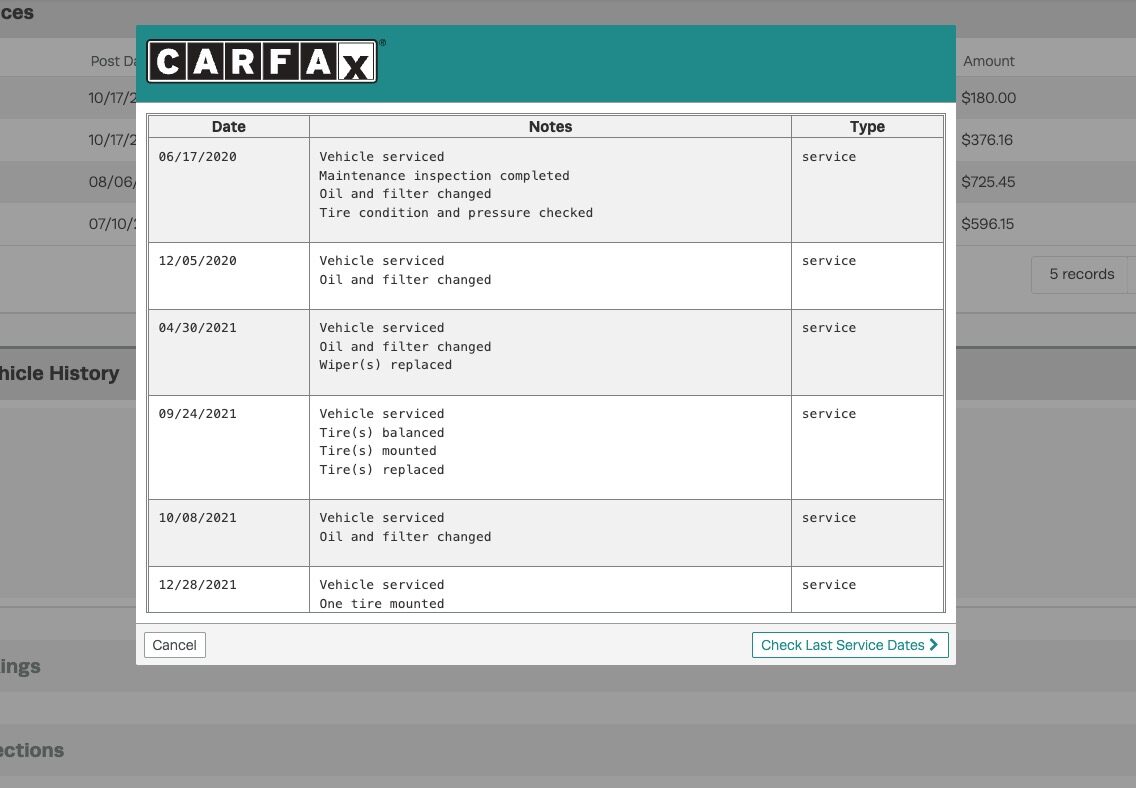
4. All available history Service dates and service history notes will be displayed on the screen for review.
Good to Know
- Make sure you click Save after making your changes. If you navigate away before saving, your changes will be lost.
- If you experience any issues during setup, contact the Workshop Software support team for assistance.
Frequently Asked Questions
What do I do if the integration is not working?
First, check that your credentials are entered correctly and that both systems are accessible. If the issue persists, check the event log in Workshop Software for specific error messages, or contact the Workshop Software support team for assistance.
Can I disconnect this integration later?
Yes. You can disable or disconnect the integration at any time through the integration settings in Workshop Software. Disconnecting does not delete any data that has already been synced.
Also Explore
- Simplified Supplier Management — Feature Overview
- Stock & Inventory Management — Feature Overview
- Workshop University: What Is a Good Average Repair Order?
- Getting Started: Supplier Workflow Guide
CARFAX VIN Lookup is available exclusively for workshops based in the United States. If you’re running a shop in the US, visit our Workshop Software USA page to explore features and pricing tailored to American mechanics.
