 Skip to content
Keeping vehicle records accurate in Workshop Software ensures your service history, registration details, and customer associations are correct. This guide shows you how to registration lookup (nz users only).
**NOTE: For vehicle registration license plate lookups in other countries, refer to other guides. Supported in Australia, UK, USA, NZ and more 1. Using the left-hand navigation bar in Workshop Software, click on ‘Integrations‘ > ‘Automotive Integrations‘ > ‘Registration Lookup‘ 2. Click on the green ‘Activate‘ button
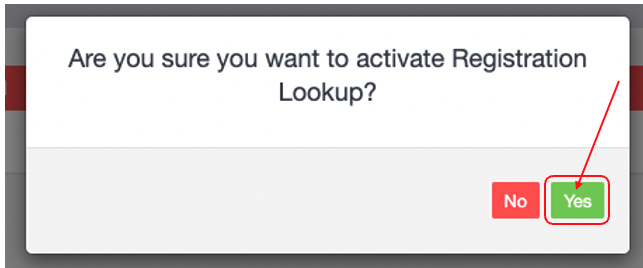
 3. A pop up box will appear asking are you sure you want to activate, to proceed click on the green ‘Yes‘ button
 4. A green banner will appear advising that the Registration Lookup account has been registered for your subscription.
 5. Next you will need to pre-purchase your registration lookup’s. The cost for each lookup is $0.59/lookup. To purchase them click on the green ‘Purchase‘ button.
 6. A Pop up box will appear, enter in the number of lookup’s you want to pre-purchase. The lookups will be charged to the same method in which you are paying for your Workshop Software Subscription (Credit card or via Capricorn). Once you are ready to purchase, click on the green ‘Purchase‘ button.

 6. The ‘Available Lookup’s” field will show you have many lookups you have remaining.

Good to Know
- This setting can be toggled on or off at any time. The change takes effect immediately once you click Save.
Frequently Asked Questions
Do I need a specific subscription level for this feature?
Some features in Workshop Software are available on specific subscription plans. If you do not see the option described above, check your current plan or contact the Workshop Software team.
Related Articles
- Activate Registration Lookup (NZ users only)
- How to use Registration Look up (NZ users)
- Using the Registration Lookup for Australian vehicles
