 Skip to content
Integrating use Registration Look up (NZ users) with Workshop Software connects the two systems so data flows between them without manual entry. Once set up, this integration saves time and reduces the chance of errors when working across platforms. Follow the steps below to configure the integration.
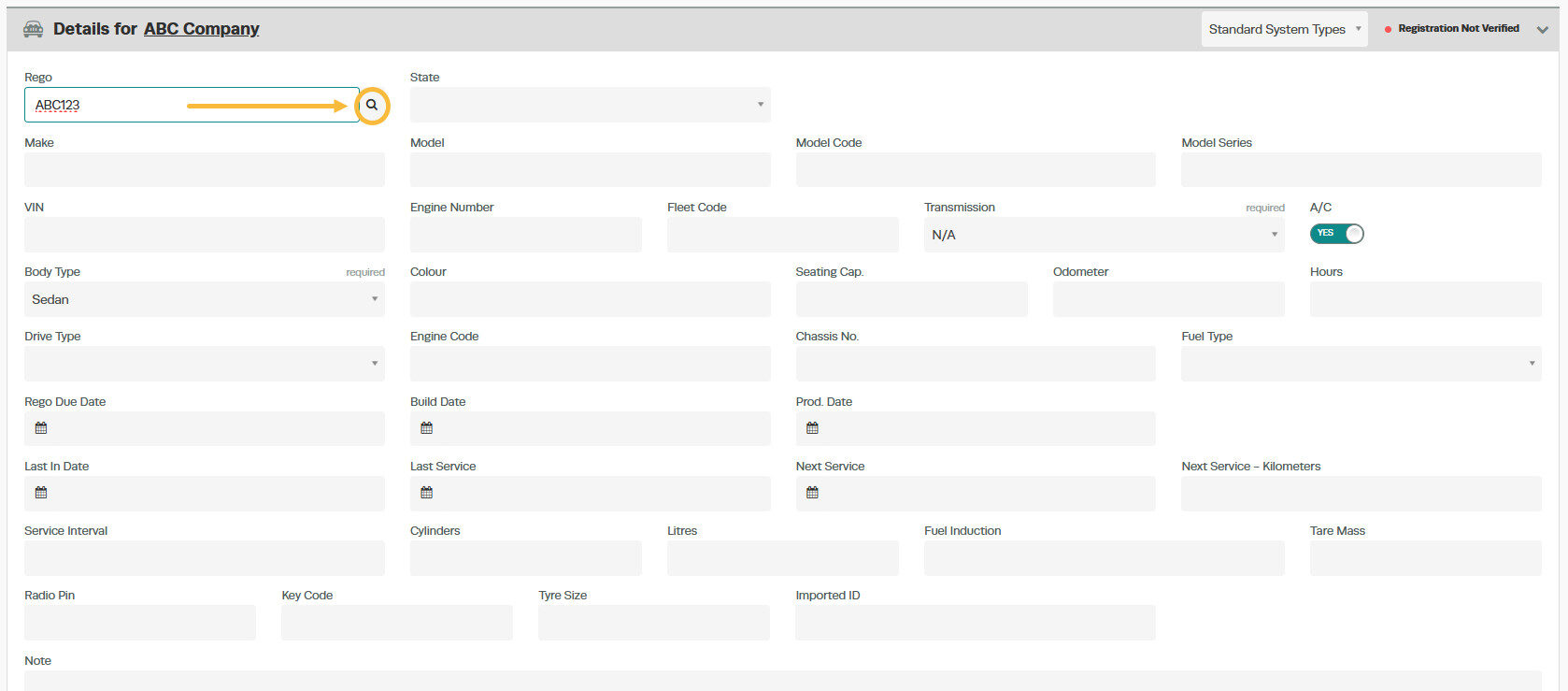
1. When you add a vehicle into Workshop Software, simply enter in the registration into the ‘Rego‘ field. Then click on the magnifying glass on the right-hand side of the rego field to bring back the vehicle details into Workshop Software.
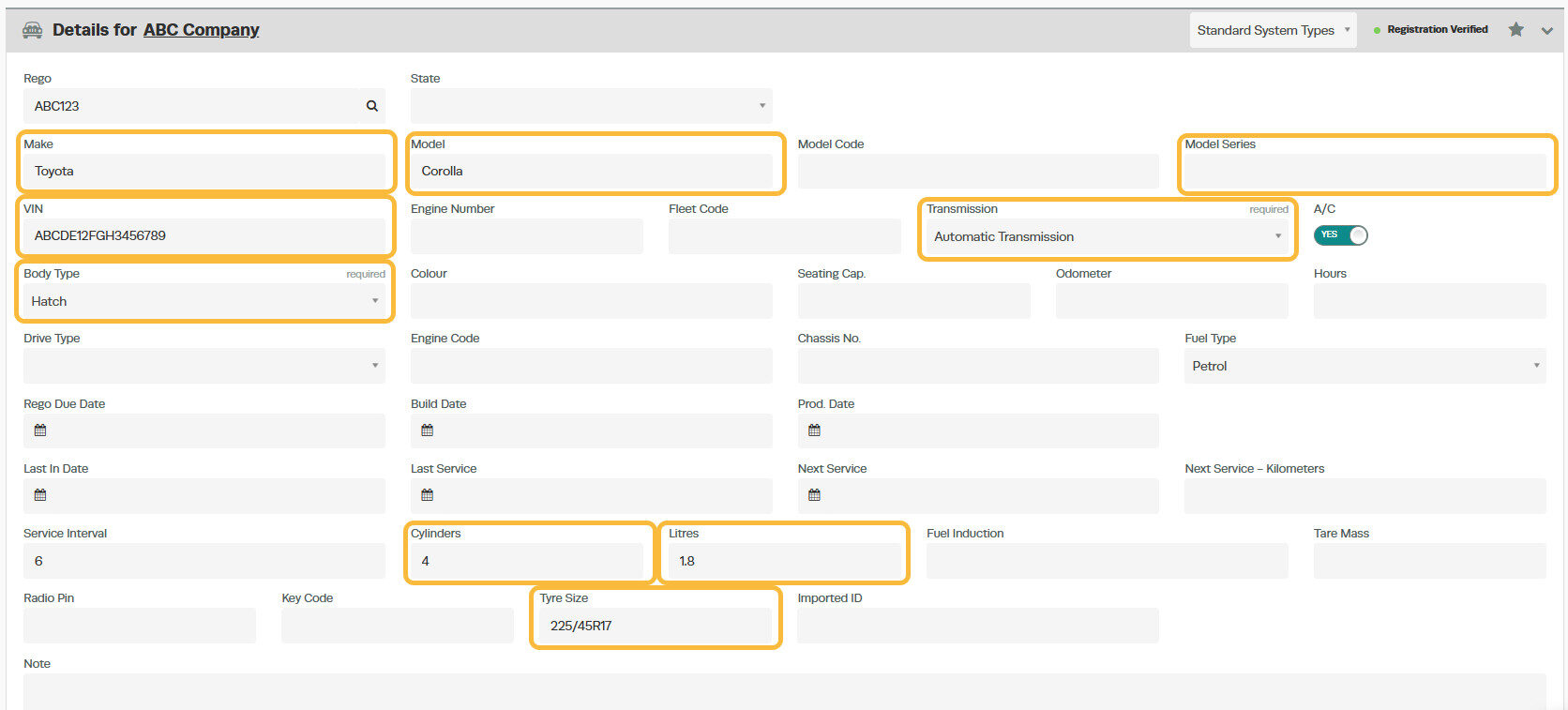
2. If the look up is successful, you will see a green confirmation pop up at the bottom right of the screen advising the data was retrieved successfully. You will also see data in the below highlighted fields have now been populated.
3. Don’t forget to click on the green ‘Save’ button, located on the bottom right hand corner of the page.
Good to Know
- Make sure you click Save after making your changes. If you navigate away before saving, your changes will be lost.
- If you experience any issues during setup, contact the Workshop Software support team for assistance.
Frequently Asked Questions
What do I do if the integration is not working?
First, check that your credentials are entered correctly and that both systems are accessible. If the issue persists, check the event log in Workshop Software for specific error messages, or contact the Workshop Software support team for assistance.
Can I disconnect this integration later?
Yes. You can disable or disconnect the integration at any time through the integration settings in Workshop Software. Disconnecting does not delete any data that has already been synced.
Can I restrict what an employee can access in Workshop Software?
Yes. Workshop Software allows you to set permissions for each user, controlling which areas of the system they can view or edit. Check the user settings for available permission options.
Related Articles
- Activate Registration Lookup (NZ users only)
- How to set up Australian vehicle registration look up feature
- Registration Lookup (NZ users only)
