 Skip to content
Managing your supplier records in Workshop Software helps you track purchase orders, supplier invoices, and stock costs. This guide walks you through how to purchase sms’s.
In order to be able to purchase SMS text messages a valid credit card or Capricorn Account must be registered. If you are paying your subscription either monthly or yearly by credit card then your card details will be registered and on file. If you have paid your subscription through your Capricorn account (Australian & New Zealand subscribers only) then you will need to contact Workshop Software on the below numbers to have a credit card registered.
Australia: 1300 729 658
New Zealand: (09) 28 3334
Option 1: From the dashboard
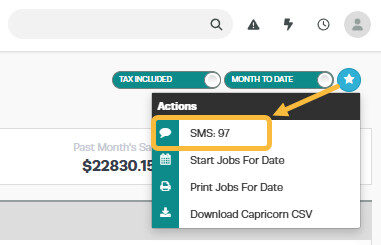
- Click on the ‘Action star‘ then select SMS

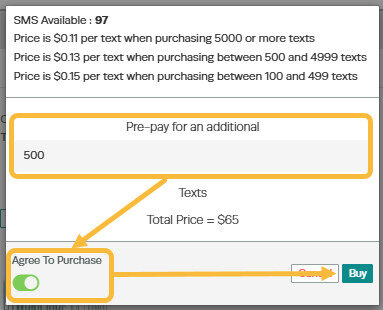
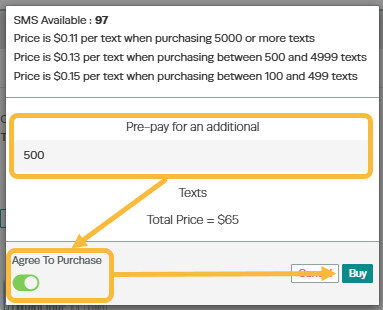
- Enter the number of SMS’s you wish to purchase and then click on the button under ‘Agree to purchase’ to turn it to yes and then click on ‘Buy’
Option 2: From Company Profile
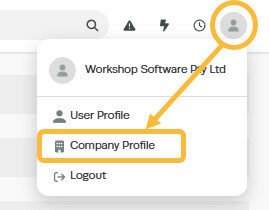
- Click on your company name at the top right of the page and then select ‘Profile’ from the drop down box
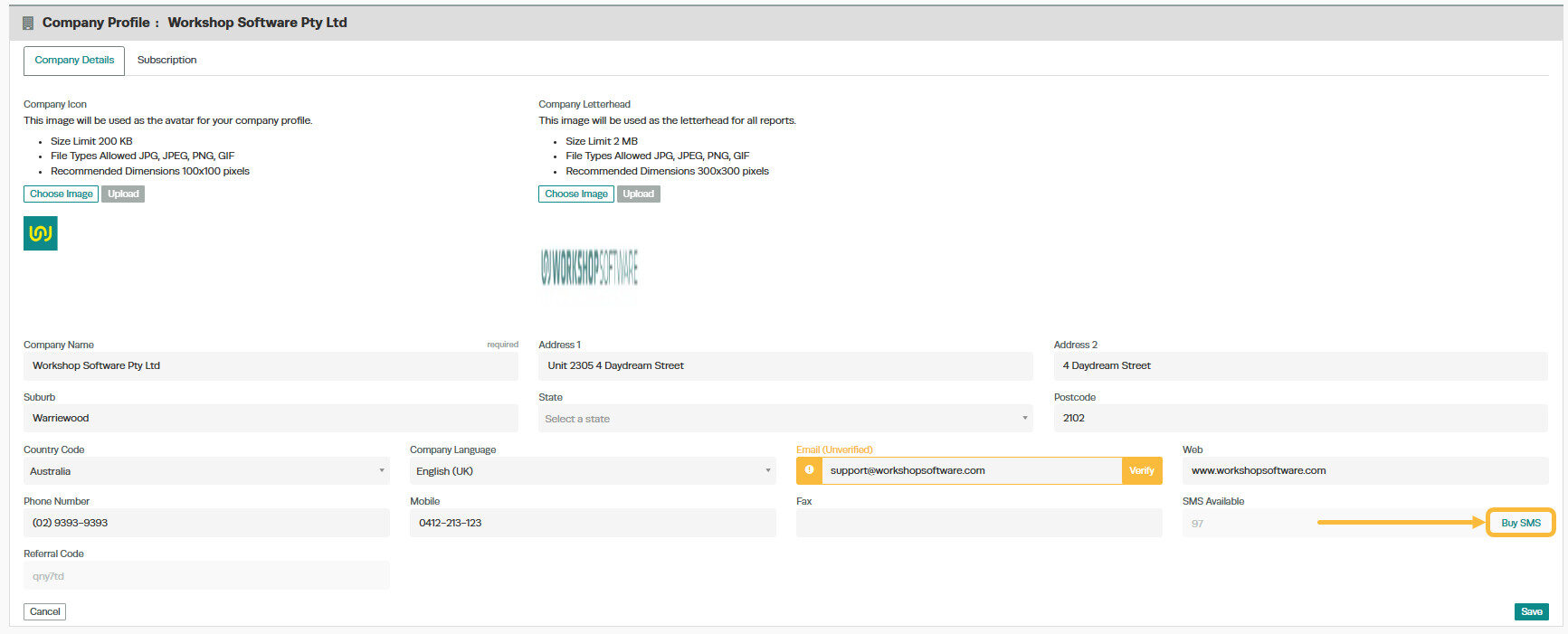
- Click on the blue ‘Buy SMS’ button at the bottom right of the page, just above the green ‘Save’ button
- Enter the number of SMS’s you wish to purchase and then click on the button under ‘Agree to purchase’ to turn it to yes and then click on ‘Buy’
- If the purchase is successful you will see the green confirmation bar across the top of the page, if not then please contact Workshop Software on 1300 729 658 (Australia) or (09) 280 3334 (New Zealand).
Good to Know
- Make sure you click Save after making your changes. If you navigate away before saving, your changes will be lost.
- This setting can be toggled on or off at any time. The change takes effect immediately once you click Save.
Frequently Asked Questions
Will this affect existing supplier invoices or purchase orders?
Changes to supplier details apply going forward. Existing supplier invoices and purchase orders retain the information that was recorded at the time they were created.
Do I need a specific subscription level for this feature?
Some features in Workshop Software are available on specific subscription plans. If you do not see the option described above, check your current plan or contact the Workshop Software team.
