 Skip to content
This guide walks you through how to start all jobs for a specific day in Workshop Software. Follow the steps below to complete this task.
Please Note: this feature is exclusive on our gold level subscription
Instead of manually starting each job from your bookings, you can quickly begin all jobs for a specific day, to streamline your workflow, saving time and ensuring all jobs are activated efficiently.
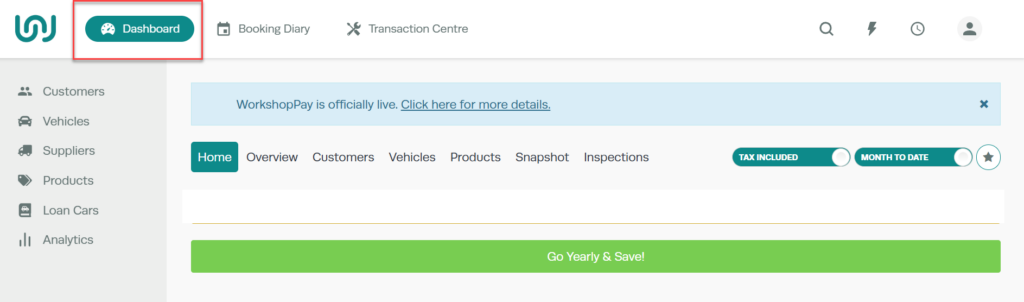
1. Go to the Dashboard page of Workshop Software, by clicking on the word “Dashboard”
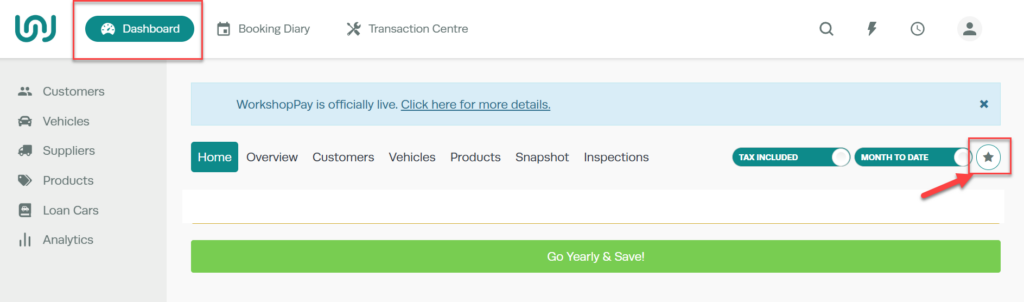
 2. Click on the “Star” button located on the right hand side of the page.
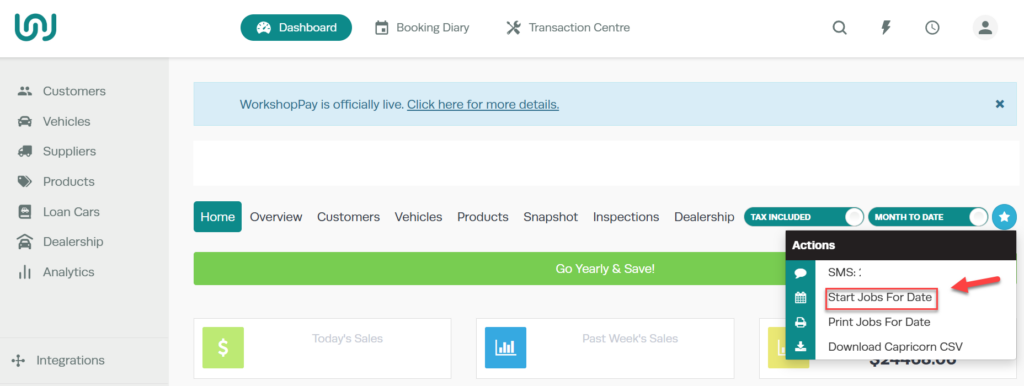
 3. Click on “Start Jobs for date” from the drop down menu
 4. A pop up window will appear, click on the calendar icon to enter in the date you wish to start jobs for. Then click the green ‘Run‘ button.

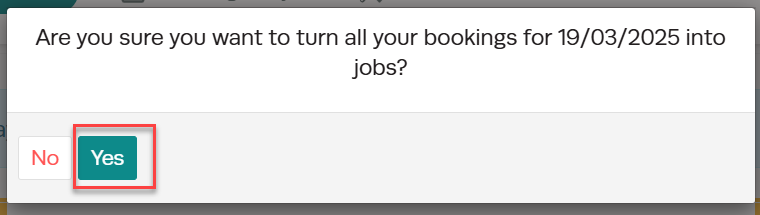
 5. A pop up box will appear to ask if you are sure you want to start all jobs for the date selected. If this is correct, click the green “Yes” button
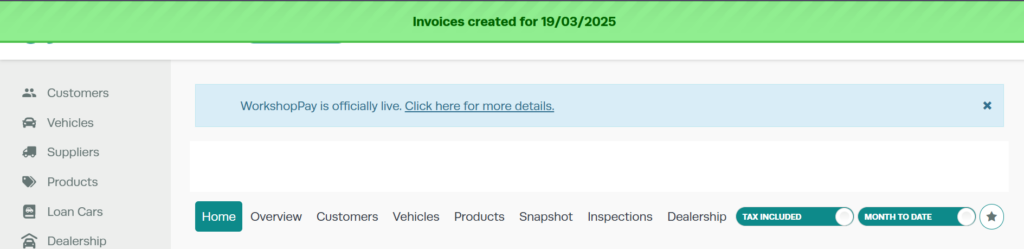
 6. A green banner will appear at the top of the screen to advise when jobs have been successfully started and open invoices have been created for those jobs.
Good to Know
- This setting can be toggled on or off at any time. The change takes effect immediately once you click Save.
Frequently Asked Questions
Do I need a specific subscription level for this feature?
Some features in Workshop Software are available on specific subscription plans. If you do not see the option described in the steps above, check your current plan or contact the Workshop Software team to find out if an upgrade is required.
Related Articles
- How to Start Jobs in Workshop Software
- Print all job cards for a specific day – GOLD ONLY
- Schedule a mechanic for a day off
