 Skip to content
Integrating set up Australian vehicle registration look up feature with Workshop Software connects the two systems so data flows between them without manual entry. Once set up, this integration saves time and reduces the chance of errors when working across platforms. Follow the steps below to configure the integration.
Workshop Software now offers a feature that allows you to find the make, model, series, build date, and much more by simply searching a vehicle’s registration number. Saving you time populating the correct information of the vehicle in Workshop Software in seconds!
Activating Registration Lookup
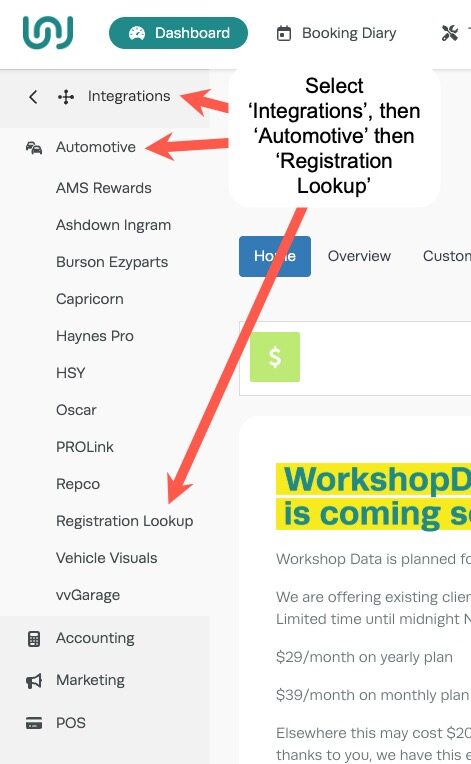
1. On the left-hand menu of Workshop Software, browse to Integrations -> Automotive -> Registration Lookup.
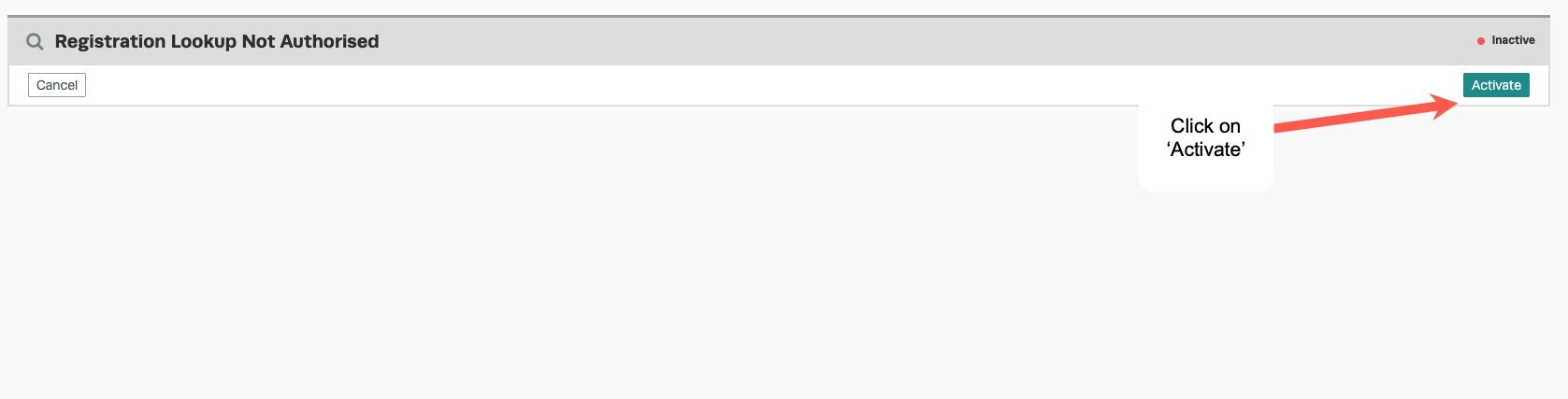
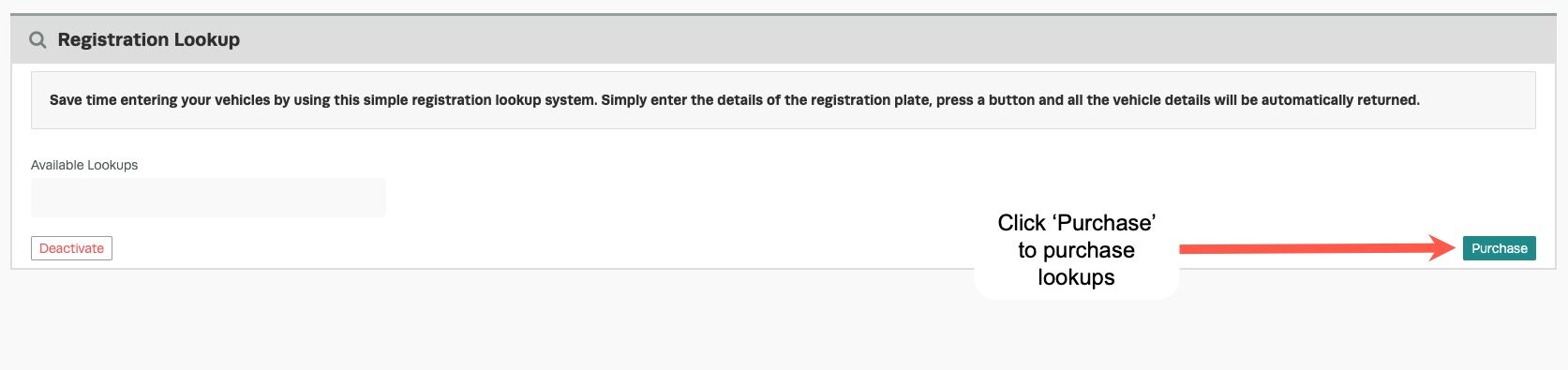
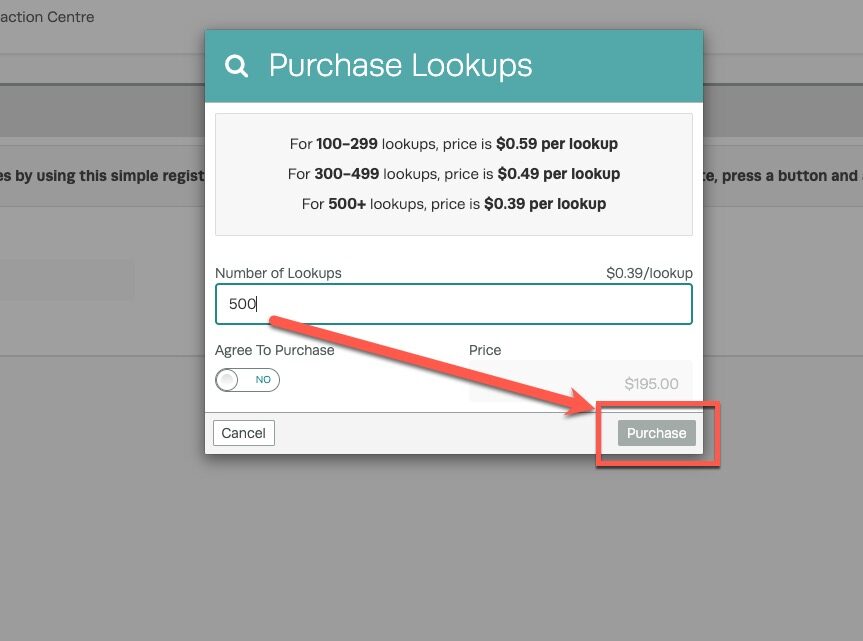
3. There is a cost associated per lookup, the cost will vary on the number of lookup’s you purchase at a time. The more you purchase the cheaper the cost of each look up will be. To purchase the lookup’s click on the ‘Purchase’ button.
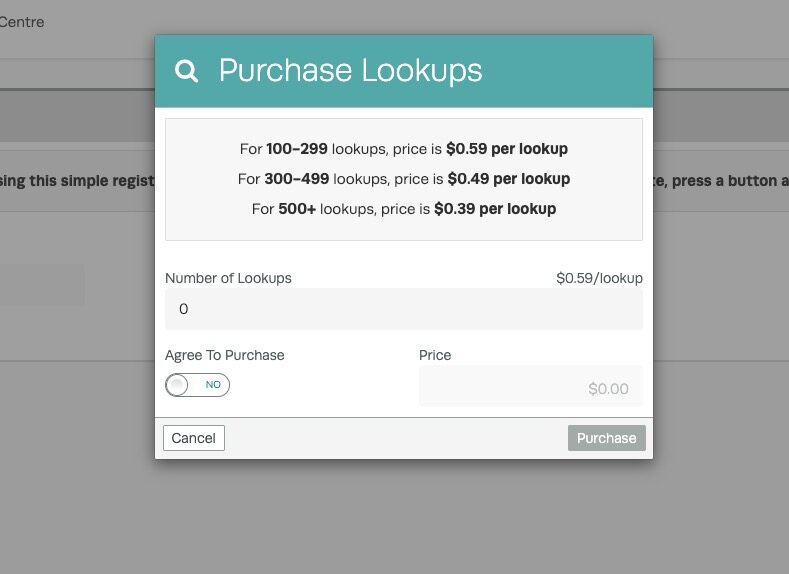
4. A pop up box will appear showing you the available pricing structure based on the number of lookup’s you want to purchase. Enter in the number you wish to purchase into the ‘Number of Requests‘ field and the cost will appear below in the ‘Price‘ field. Click on the green ‘Purchase‘ button to finalise the purchase. The cost of the lookups will generate as you type in the number of lookups.
NOTE: The picture is a representation of the Australian pricing, whatever pricing is displayed in your subscription is the correct and current pricing, the below picture is simply an example.
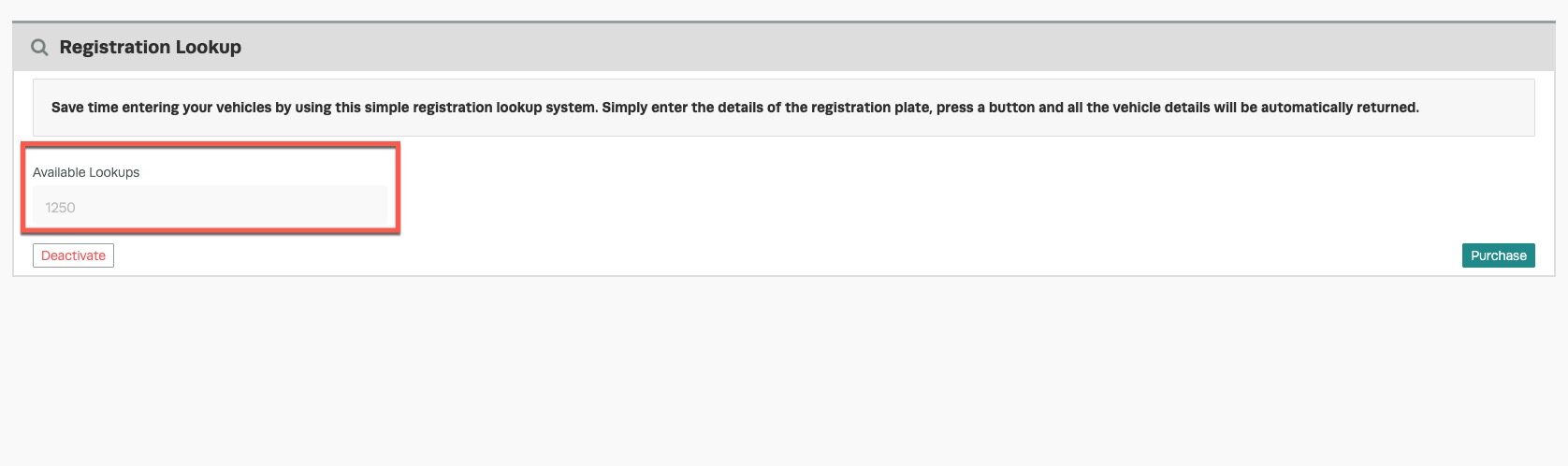
5. The available lookups will be displayed in the ‘Available Requests‘ field and will be updated as the lookup’s are used.
Good to Know
- If you experience any issues during setup, contact the Workshop Software support team for assistance.
- Review your settings periodically to ensure they still match your workshop’s current workflow.
Frequently Asked Questions
Where do I find this setting in Workshop Software?
Navigate to Settings in the left-hand menu. The specific option is described in the steps above.
Can I change this setting back later?
Yes. This setting can be changed at any time by following the same steps and adjusting the option as needed. Remember to click Save after making your change.
What do I do if the integration is not working?
First, check that your credentials are entered correctly and that both systems are accessible. If the issue persists, check the event log in Workshop Software for specific error messages, or contact the Workshop Software support team for assistance.
Related Articles
- How to use Registration Look up (NZ users)
- Using the Registration Lookup for Australian vehicles
- DVLA Vehicle Lookup
