 Skip to content
Where the Mechanic Performance Report appears blank or with missing mechanics the most likely cause of is an incomplete Cost Per Hour field in a Mechanic’s Details, it will also be blank if Mechanics have not logged their work time on any Invoices.
To update a Mechanic’s Details including the Cost Per Hour click on Admin (1) on the left hand sidebar menu in Workshop Software, then click on Mechanics (2).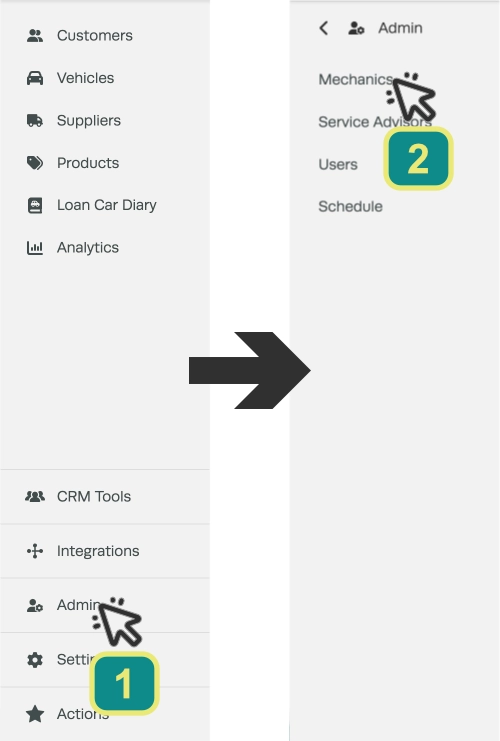
Select a mechanic that is missing from the report by double clicking or clicking the pencil icon.
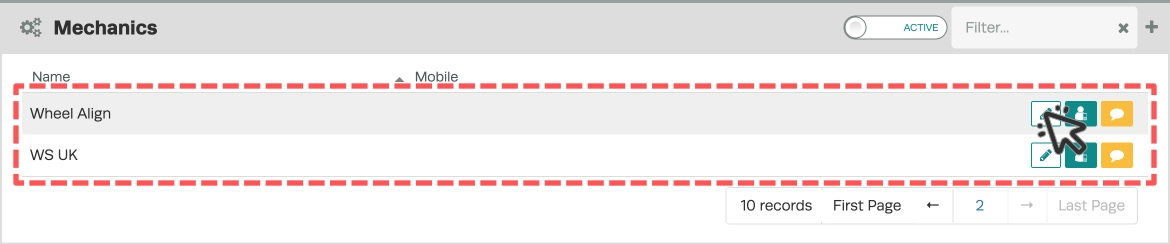
Enter the cost to the business of the the mechanic in the Cost Per Hour field, i.e. what they are paid per hour. Then click Save in the bottom right corner.
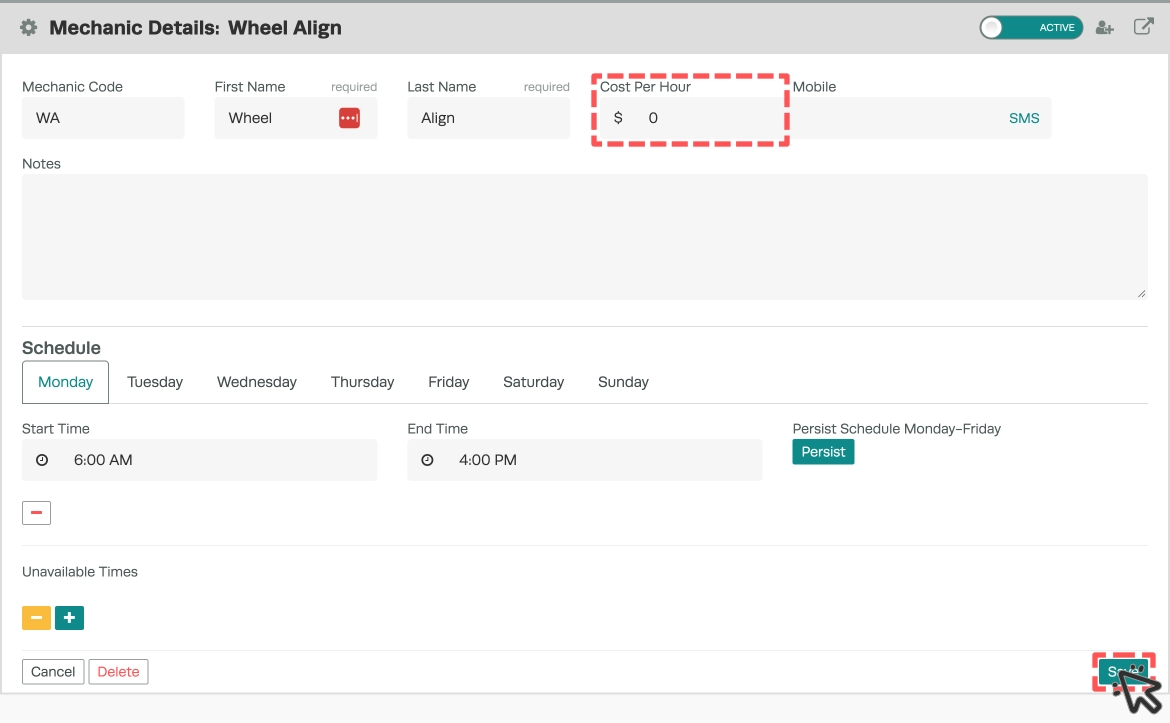
This cost figure is needed for the report to calculate a profit figure, without a cost the report has no information to populate the report with.
If you have followed the above steps and there is still no information on the Mechanics Performance Report, confirm that each mechanic’s hours are being recorded against each Invoice.
Labour QTY in an Invoice is the amount charged to a customer, Labour Hours is the time recorded for a Mechanic.
To add Mechanic Hours manually follow these instructions: Add Mechanic Hours to An Invoice
Good to Know
- Use may use date filters to narrow the report to a specific period. This is useful for monthly or quarterly reviews.
- Once the report is generated, you can review the results on screen or use your browser’s print function to save a copy.
Frequently Asked Questions
Can I filter the why is my mechanic performance report missing information or is blank report by date range?
Yes. Use the date range fields at the top of the report to specify the period you want to review. This lets you narrow results to a specific week, month, or custom date range.
Can I export or print this report?
You can use your browser’s built-in print function to print the report or save it as a PDF. Open the report, press Ctrl+P (or Cmd+P on Mac), and choose your printer or select Save as PDF.
Can I restrict what an employee can access in Workshop Software?
Yes. Workshop Software allows you to set permissions for each user, controlling which areas of the system they can view or edit. Check the user settings for available permission options.
