 Skip to content
Keeping vehicle records accurate in Workshop Software ensures your service history, registration details, and customer associations are correct. This guide shows you how to create your loan vehicle terms and conditions.
THIS FEATURE IS AVAILABLE FOR GOLD & PLATINUM CUSTOMERS ONLY
To Set up your Terms and Conditions:
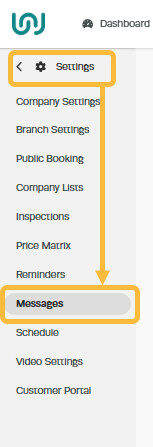
1. Go to ‘Settings‘ then click on ‘Messages‘
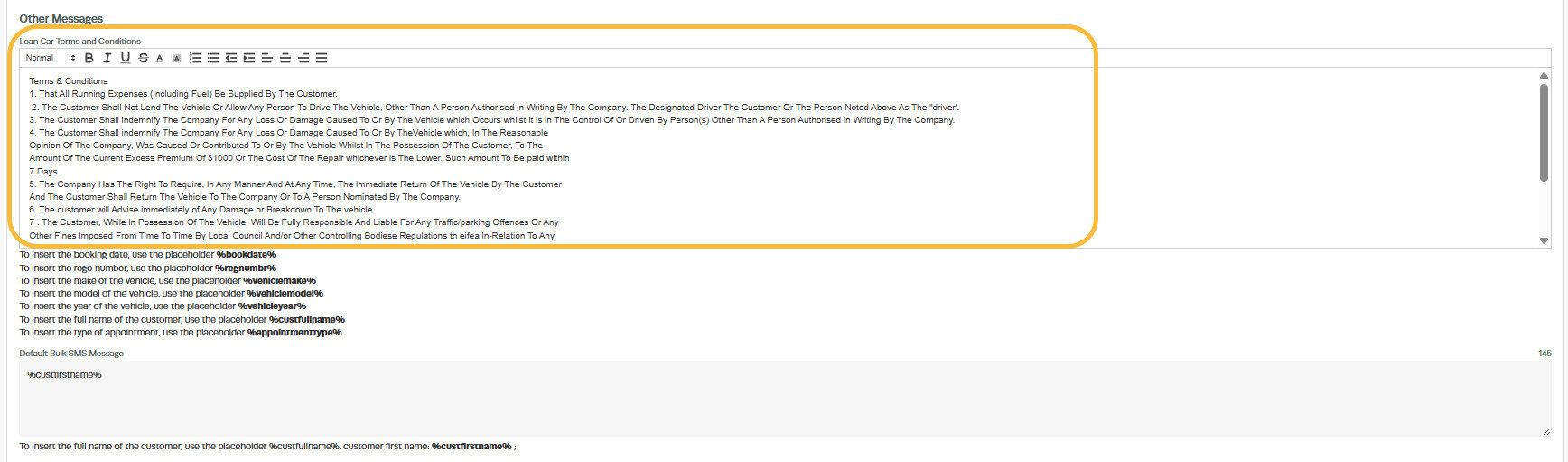
2. Scroll down to ‘Other Messages‘ section and edit the ‘Loan Car Terms And Conditions‘ field. Make sure all the terms and conditions you want the customer to be aware of are in this field;
3. Scroll down to the bottom of the screen and click ‘Save‘

Good to Know
- Make sure you click Save after making your changes. If you navigate away before saving, your changes will be lost.
Frequently Asked Questions
Do I need a specific subscription level for this feature?
Some features in Workshop Software are available on specific subscription plans. If you do not see the option described in the steps above, check your current plan or contact the Workshop Software team to find out if an upgrade is required.
