 Skip to content
Workshop Software gives you the ability to check the profitability of each job before you send out a quote or invoice. Over time, this also helps you identify which types of jobs give you the highest profit margins.
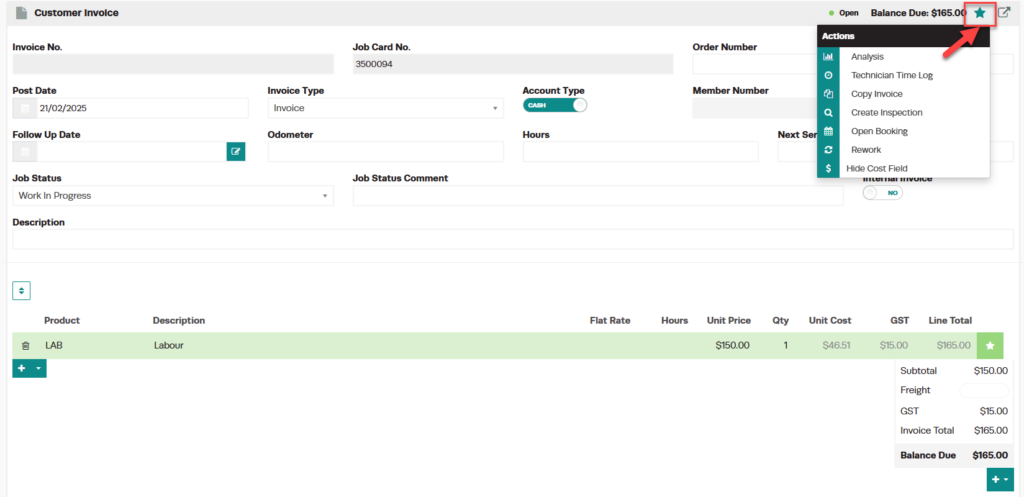
Step 1: Open the Invoice and Click the Star Icon
- Open the invoice or job card you want to analyse.
- Click the Star icon located in the top right-hand corner of the invoice.
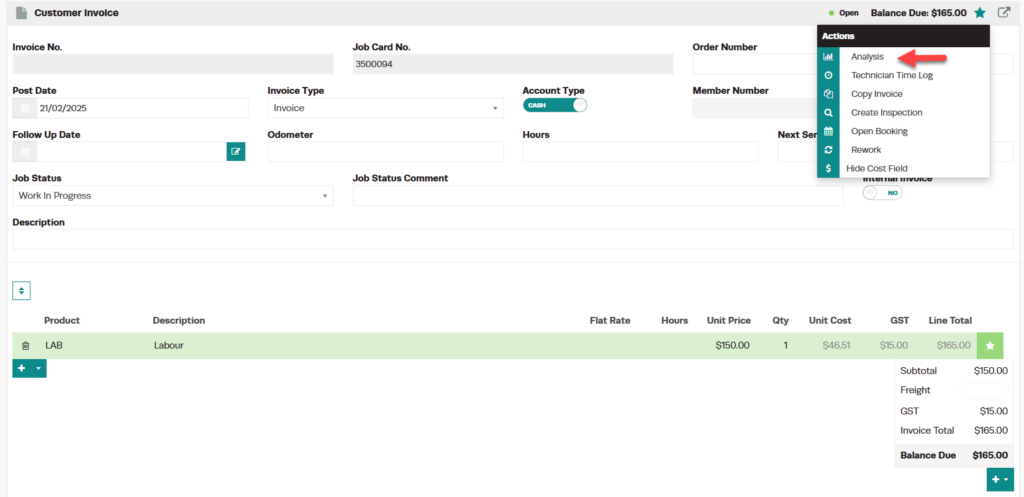
Step 2: Select Analysis
- From the action menu, click Analysis.
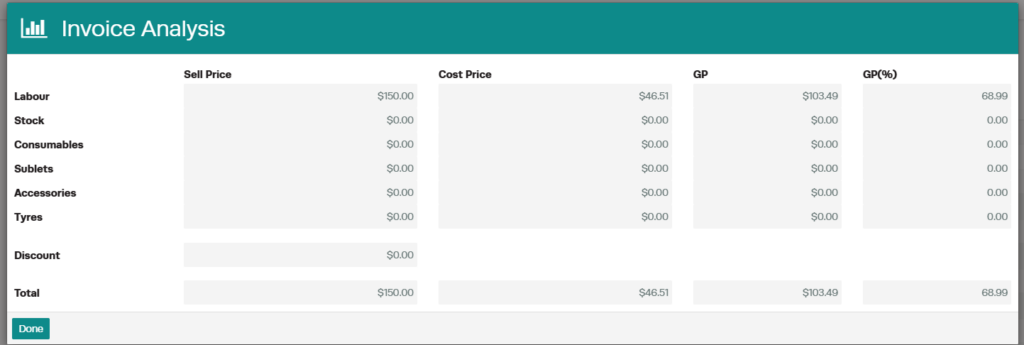
Step 3: Review the Profitability Breakdown
- A pop-up window will appear showing the breakdown of overall profit.
- Review the profit by product type — labour, stock, consumables, sublets, accessories, and tyres.
- Check the total profit displayed in both dollars ($) and percentage (%).
Good to Know
- Use this tool before sending a quote or invoice to make sure the job is profitable — or at least not losing you money.
- The analysis reflects the current line items on the job. If you make changes to products or pricing, re-open the analysis to see updated figures.
- Regularly checking profitability helps you spot trends and adjust your pricing strategy over time.
Frequently Asked Questions
Does this include GST/tax in the profit calculation?
The profit analysis is based on the ex-tax cost and sell prices of the products on the job.
Can I export the profitability data?
The analysis pop-up is for on-screen review. For detailed profit reporting across multiple jobs, use the Reports section in Workshop Software.
