 Skip to content
Adding a Customer from Another Branch
Note: This feature is currently available only through the customer ‘quick add’ on Customer Invoices and Customer Bookings/Events.1. Create Customer Invoice
: Click on the ‘+’ icon next to the main search bar in Workshop Software and your Company Name, then select ‘Customer Invoice‘.
2. Select a Customer
: Choose the customer from your list or click on the “+” to add the new customer to this branch:
3. Search for Customer or Vehicle
: A pop-up box will appear. Use the ‘Search By‘ field to search using any of the following details:- Customer Name
- Mobile number
- Registration/Plate Number
- VIN
- Enter the value in the provided field and click ‘Apply’. This will search all branches and provide a list of matching results.
Select Customer or Vehicle
: Choose the customer or vehicle you want to use from the search results. 5.Add New Vehicle
: Since this customer has used another branch, click the “+” button to add a new vehicle then click on ‘Search Branches to search their vehicle across branches.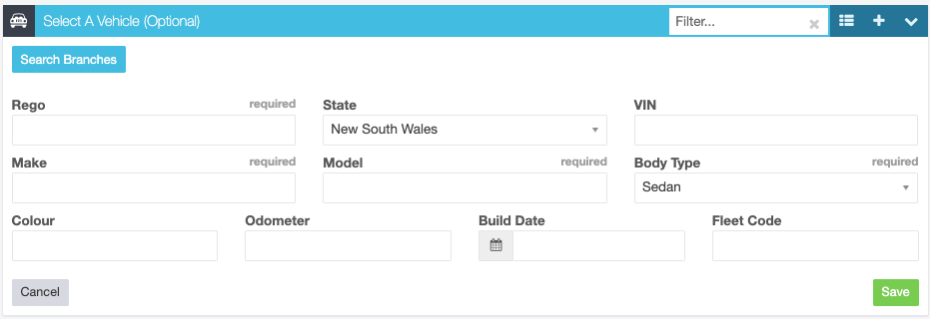 6.
6. Add to Branch and Invoice/Booking
: Click on ‘Create & Add‘ to add the customer to your branch’s system and also to include them in the invoice or booking. Note:- If you search by mobile number or email, only the customer will be added.
- If you search by Vehicle (VIN, Registration/Plate Number), both the customer and the vehicle will be added to your branch.
Related Articles
- Platinum Multi-Branch – How to add a vehicle and vehicle history from another branch
- Platinum Multi-Branch – add a customer from another branch
- Search for customer and vehicle history
