 Skip to content
THIS FEATURE IS AVAILABLE FOR GOLD & PLATINUM CUSTOMERS ONLY
As a business you may like to offer your customers the convenience of a loan car while their car is being serviced, this service can be complementary or have a fee attached to it.
To set up Loan Vehicles:
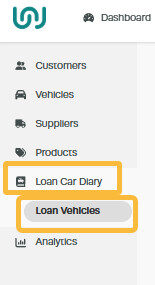
1. Click on ‘Loan Car Diary‘ in the menu, then select ‘Loan Vehicles‘;
2. Open the Action menu ‘Star‘ on the right -hand side of the vehicle then click on ‘Add Loan Vehicle‘;

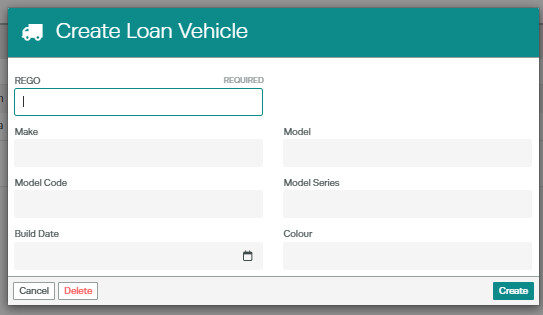
3. Then fill out the loan vehicle details and click ‘Create‘;
You can add more vehicles by pressing on the Action menu” Star” and following previous steps.
Once you have set up the vehicle/Vehicles you will then see them in the Loan Car Diary.
