 Skip to content
Making a product inactive in Workshop Software removes it from your active product listing without permanently deleting it. This is the recommended approach when you stop stocking a part, discontinue a service, or want to clean up your product list without losing historical data. Inactive products no longer appear in search results when adding items to an invoice, but they are preserved on any existing invoices and job cards where they were previously used. Follow the steps below to set a product to inactive.
1. On the left-hand side options, select ‘Products‘;
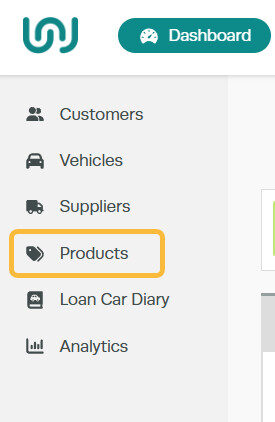
2. In the search bar, to the right of ‘Products‘, search for the product you wish to make inactive and click on the ‘pencil‘ icon;

3. Toggle the ‘Active‘ button to ‘Inactive‘ and click ‘Save‘;

Good to Know
- Inactive is not deleted. The product stays in your database and can be reactivated at any time by toggling the Active button back to Active and clicking Save.
- Any historical invoices and job cards that include the product are not affected. The product name, price, and quantity remain visible on past records.
- If you have a large number of products to deactivate, consider running a stock status report first to identify items with zero quantity or no recent sales.
- To permanently remove a product from your system, you would need to delete it instead. However, making it inactive is usually the safer option because it preserves your data history.
Frequently Asked Questions
Can I reactivate a product after making it inactive?
Yes. Go to your product list, search for the inactive product using the search bar, open it by clicking the pencil icon, toggle the status back to Active, and click Save. The product will immediately appear in your active product listing again.
What happens to invoices that already have the inactive product on them?
Nothing changes. Existing invoices and job cards retain the product exactly as it was when the invoice was created. Making a product inactive only prevents it from appearing in future product searches.
Should I make a product inactive or delete it?
In most cases, making a product inactive is the better choice. It keeps your reporting and invoice history intact. Only delete a product if it was created in error and has never been used on an invoice or job card.
