 Skip to content
WorkshopData is a powerful, easy-to-use tool powered by HaynesPro that gives you access to a vast library of technical information for vehicles, Trucks and Motorbikes
With WorkshopData, you’ll have all the technical details you need right at your fingertips — from service schedules and repair procedures. This comprehensive resource helps your team work more efficiently and accurately, saving valuable time on every job.
Activating the WorkshopData Subscription
This feature is only available to Gold Subscription users.
How to Activate the Integration
Follow these simple steps to activate WorkshopData in your account:
- In Workshop Software, go to the left-hand menu.
- Navigate to Integrations > Automotive Integrations.
- Select WorkshopData from the list.
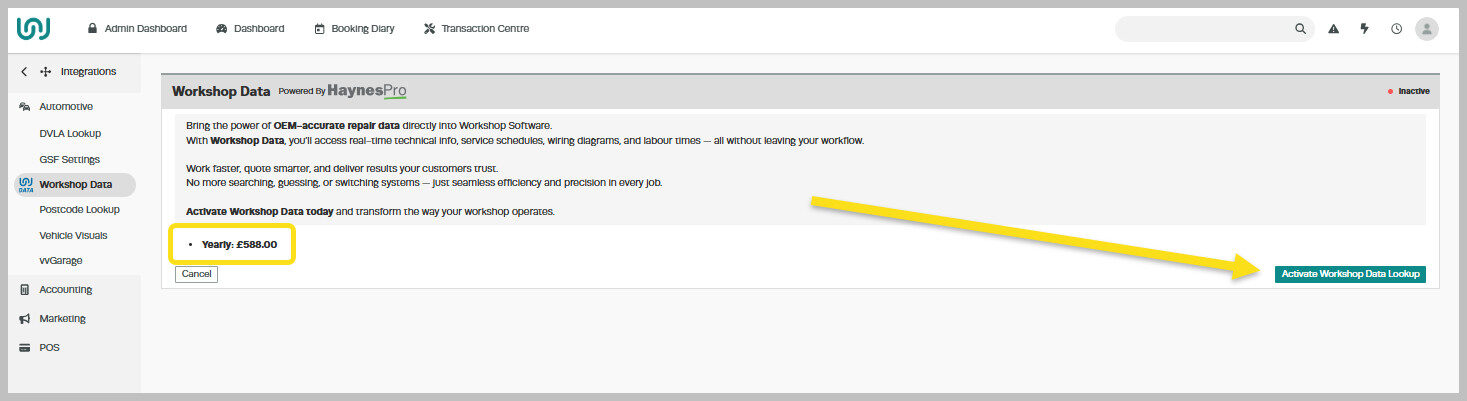
- Review the cost displayed — this will depend on whether your business is subscribed to Workshop Software on a monthly or yearly plan.
- Read through the Conditions carefully.
- Click Activate WorkshopData Lookup to enable the integration.
Once activated, your team will be able to access detailed technical information about vehicles directly from Workshop Software, improving accuracy and saving valuable time during repairs and servicing.
After successful Activation, you will see this screen:
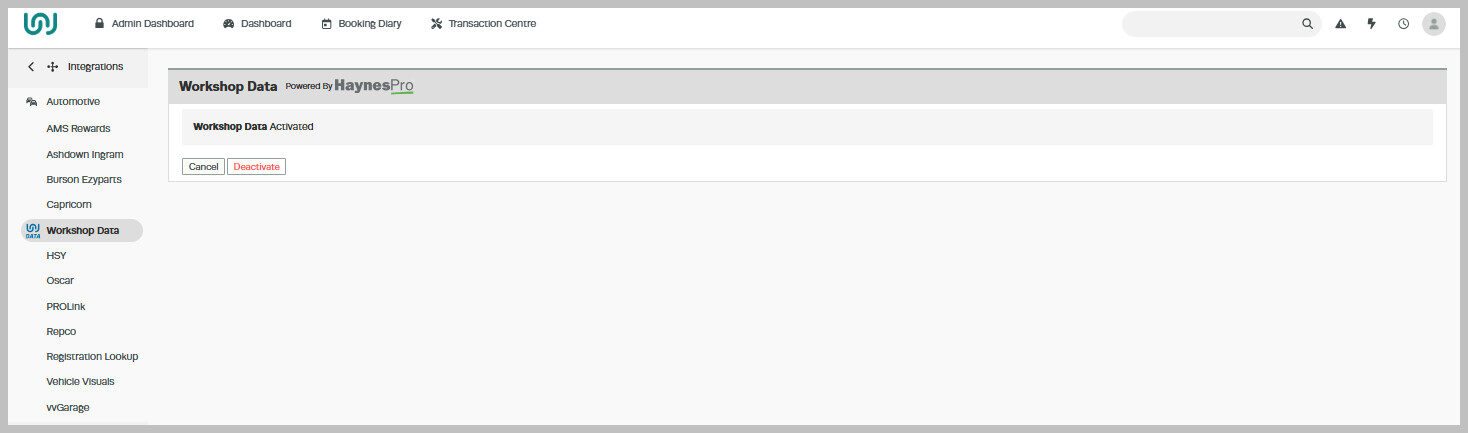
After successful Activation, you will see this screen:
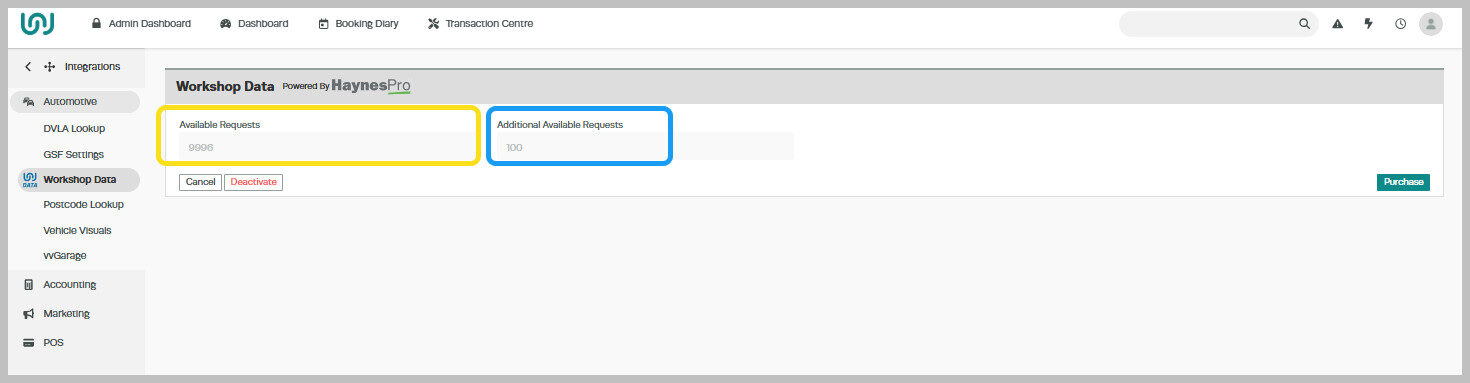
- Available Requests: The number of available look up credits for the current calendar month. On the 1st of each month, this number is reset to 100.
- Additional Available Requests: The number of available lookup credits that you have purchased separately from your subscription. These roll over to the next month until completely consumed.
- If you use all your lookup credits for the month, any VINs you previously accessed on that day will be available for your team to view until midnight.
However, when attempting to access new VINs, you’ll see an error message advising you to purchase additional lookup requests.
If you reach your monthly limit of Workshop Data lookup credits, you can purchase additional requests at any time.
How to Purchase Additional Lookup Requests
- Navigate to Integrations > Automotive Integrations.
Click on WorkshopData > Purchase

Select Purchase to complete your transaction.
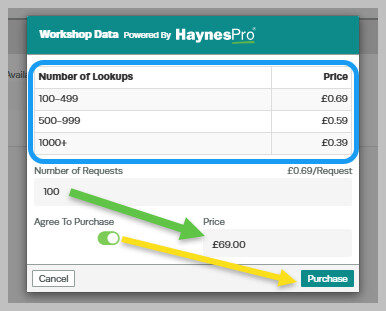
Your newly purchased lookup requests will be added immediately to your account and will remain available until all credits have been used.
Related Articles
- WorkshopData Subscription Australia and New Zealand
- WorkshopData Make and Model Search
- WorkshopData for Vehicle, Truck or Motorcycles
Also Explore
- Simplified Supplier Management — Feature Overview
- Stock & Inventory Management — Feature Overview
- Workshop University: What Is a Good Average Repair Order?
- Getting Started: Supplier Workflow Guide
WorkshopData powered by HaynesPro is available for UK and Irish workshops. If you’re based in the United Kingdom, visit our Workshop Software UK page for more information on features and pricing tailored to UK garages.
