 Skip to content
Only available for Companies located in Australia and New Zealand
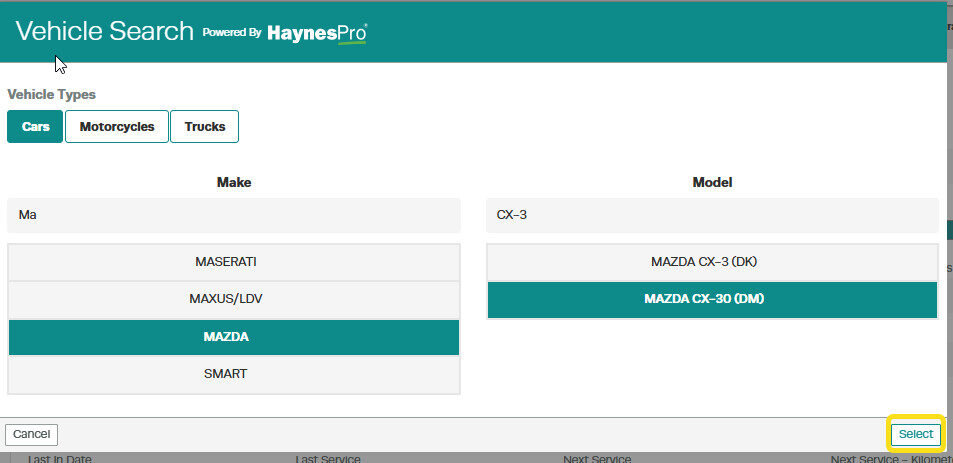
When accessing WorkshopData for a vehicle that has a VIN that Haynes pro is unable to return data for, you will be presented with the option to select the Vehicle Type, Make and Model instead.
By default, the Vehicle Type of Cars is selected. Clicking on other Vehicle Type buttons will reload a list of Makes matching the Vehicle Type selected.
Scroll through the list under Make and select the one you need.
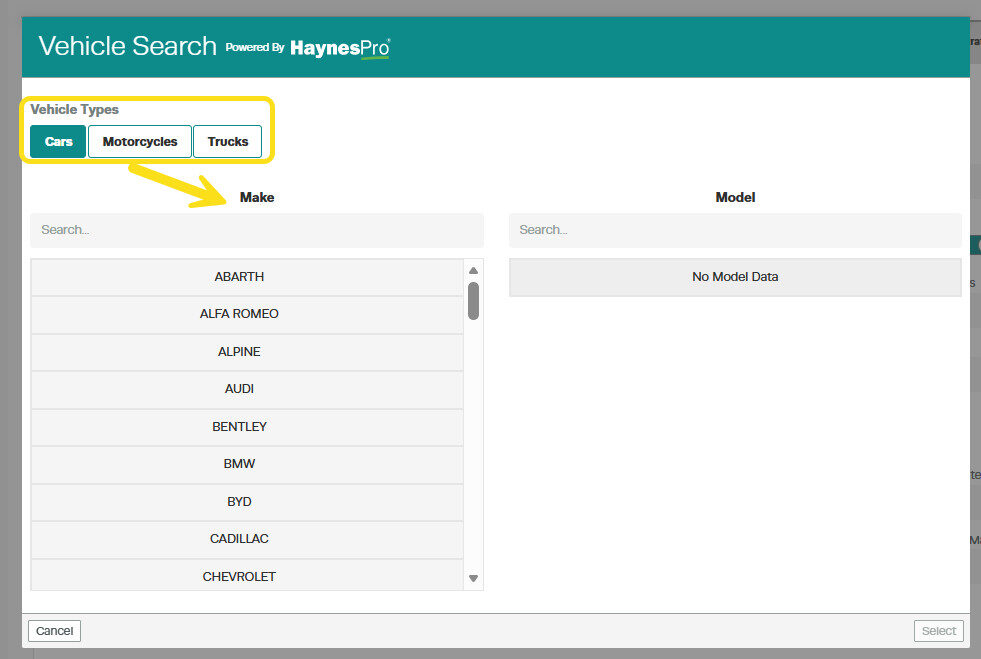
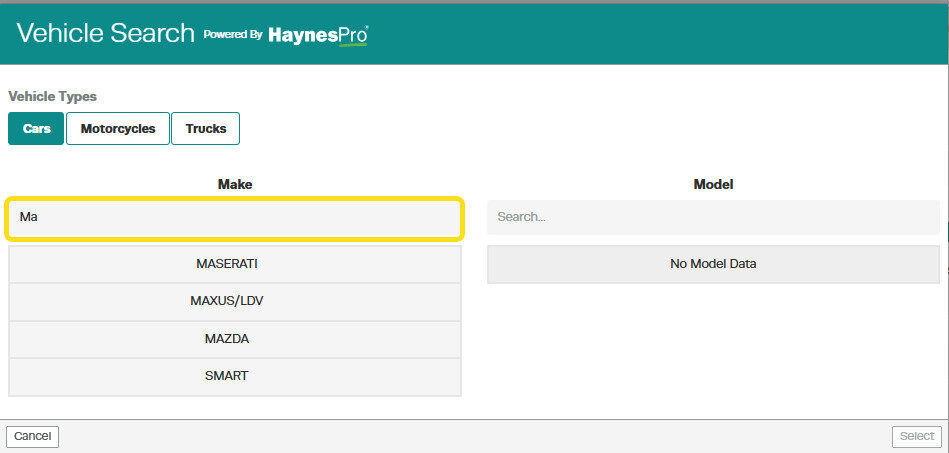
Alternatively, you may use the Search bar located above the Make list to find a specific brand of vehicle.
Simply click on the Search bar and start typing the name of the Make you need. As you type, the list below will update to match the text you are typing in.
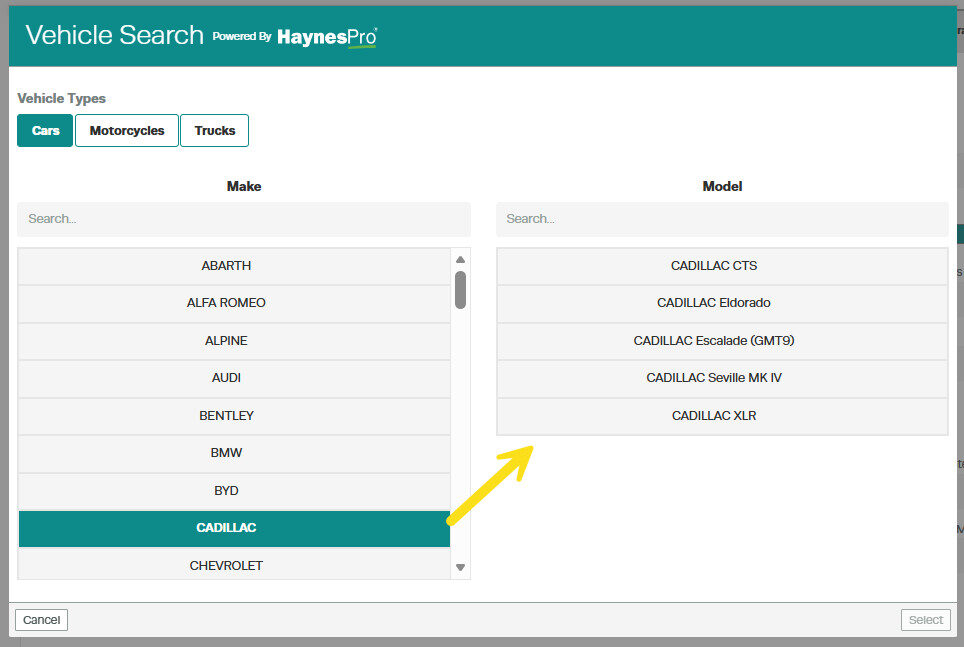
When you click on a listed Make option, the Model list will load with matching models for the specific make chosen.
A Search bar is also located above the Model list to help you find a model that is associated with the Make you have chosen previously.
Simply click on the Search bar and start typing the name of the Model you need. As you type, the list below will update to match the text you are typing in.
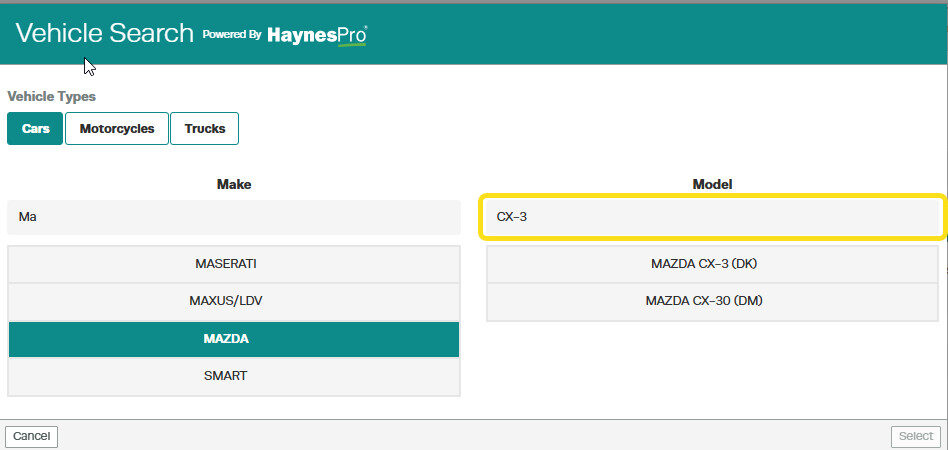
After choosing a Model, click on the “Select” button. The Select button will only be clickable once you have chosen a make and model combination.
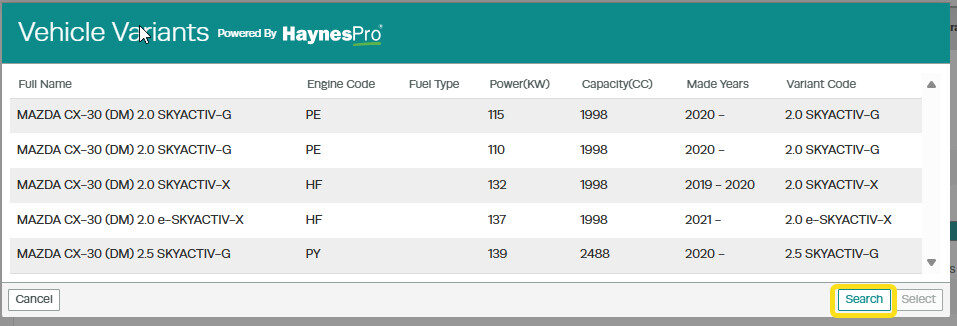
A list of Vehicle Variants will then be displayed depending on the Make and Model combination chosen previously.
To choose a different Make and Model, simply click on the “Search” button located in the bottom right corner, within the Vehicle variants screen.
Important Note
The ability to select Make and Model is also available when using the WorkshopData Labour Time Lookup option during Customer Invoice creation.
The data available in the WorkshopData application is provided by HaynesPro, our trusted partner. Availability and detail of information are subject to the data provided by HaynesPro, and may vary depending on the vehicle or dataset.
Related Articles
- WorkshopData Subscription UK and Ireland
- WorkshopData for Vehicle, Truck or Motorcycles
- WorkshopData Subscription Australia and New Zealand
