 Skip to content
Please note this is a gold feature, to upgrade please go to your Profile settings – Subscription and click ‘upgrade’.
Workshop Software has introduced a feature that allows you to communicate with all / groups of your customers. This can be achieved within your ‘Communications Centre‘.
1. In the menu on the left side of Workshop Software, click ‘CRM Tools‘
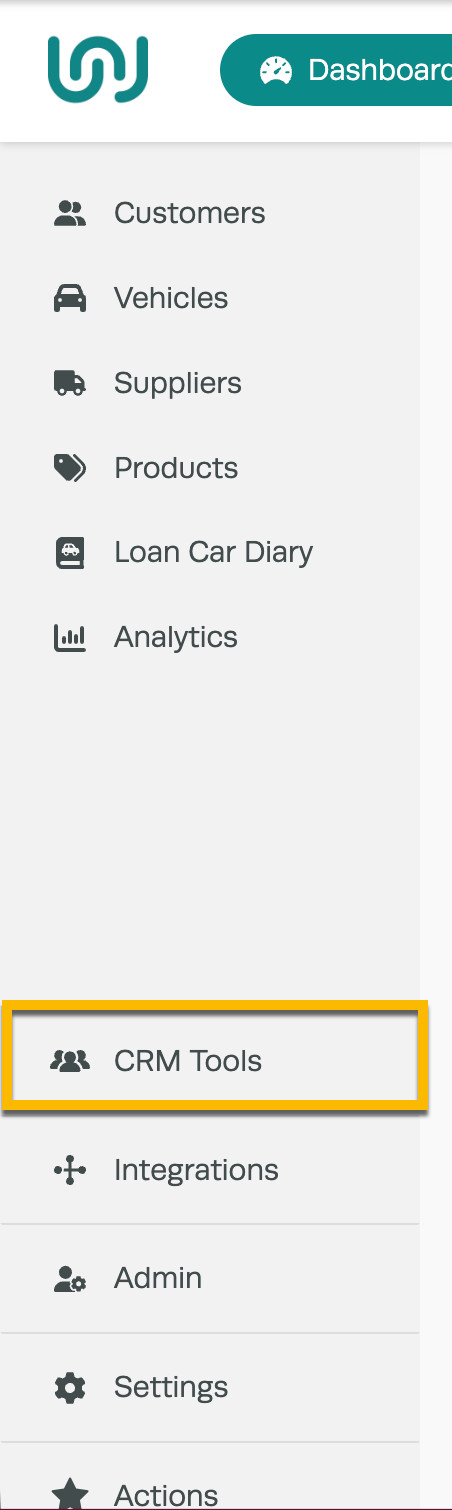
2. Select Communication Centre

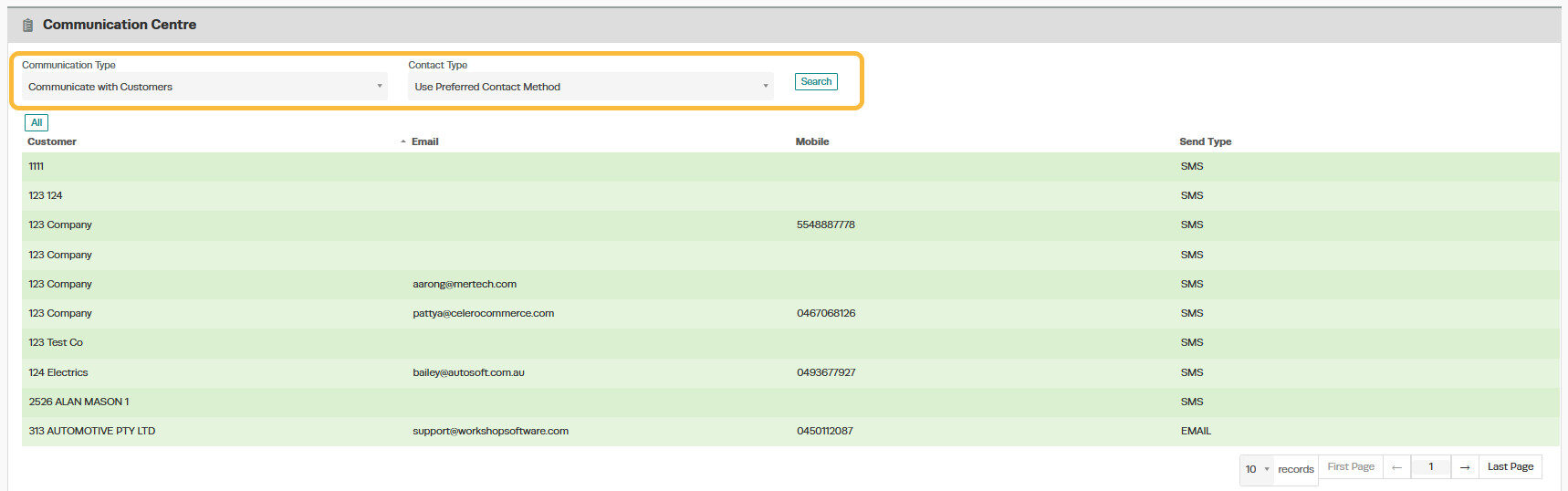
3. Select your method for filtering your customers using the ‘Communication Type’ dropdown menu and how you would like to communicate with them by the ‘Contact Type’ dropdown menu and click ‘Search’
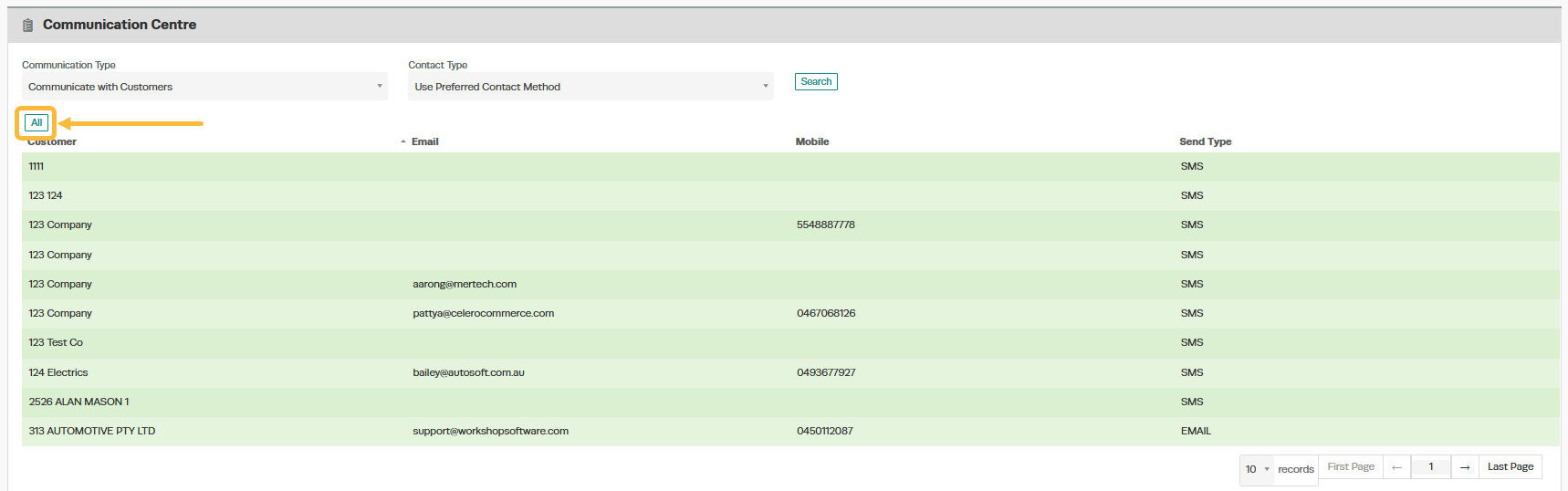
 4. Either click on the individual customers you would like to contact, or click ‘All‘ to communicate with all customers.

Good to Know
- You can search for a customer by name, phone number, or email address using the search bar.
- Keeping customer records up to date ensures accurate invoicing and reliable communication via SMS or email.
Frequently Asked Questions
Will this change affect existing invoices for this customer?
Changes to customer details (such as name, address, or contact information) apply to future invoices. Existing completed invoices retain the details that were on the invoice at the time it was created.Do I need a specific subscription level for this feature?
Some features in Workshop Software are available on specific subscription plans. If you do not see the option described in the steps above, check your current plan or contact the Workshop Software team to find out if an upgrade is required.Related Articles
- Bulk send statement to customers with outstanding invoices
- 03 – Customers, Suppliers and Product
- Edit a customer’s details
