 Skip to content
Integrating DVLA Vehicle Lookup with Workshop Software connects the two systems so data flows between them without manual entry. Once set up, this integration saves time and reduces the chance of errors when working across platforms. Follow the steps below to configure the integration.
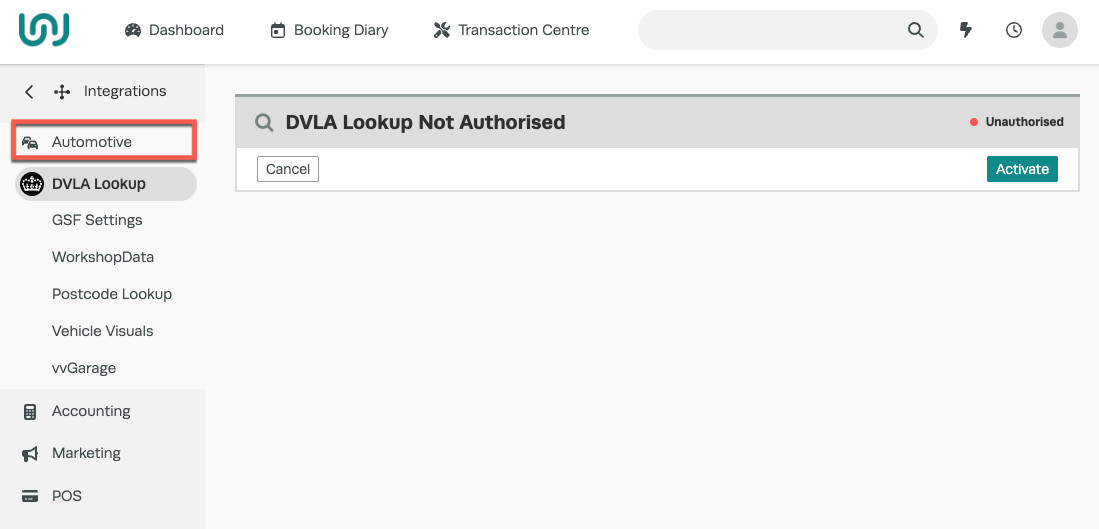
Easily find all the details of a vehicle registration by using the DVLA lookup. The DVLA lookup allows you to enter a vehicle registration, click search, and all the vehicle details will be instantly returned. The purpose of this guide is to help you setup your DVLA Vehicle Lookup tool, it’s a great time saver that ensures all the correct information is reflected. 1. In Workshop Software, click on the Integrations tab located at the bottom section of the left-hand vertical menu: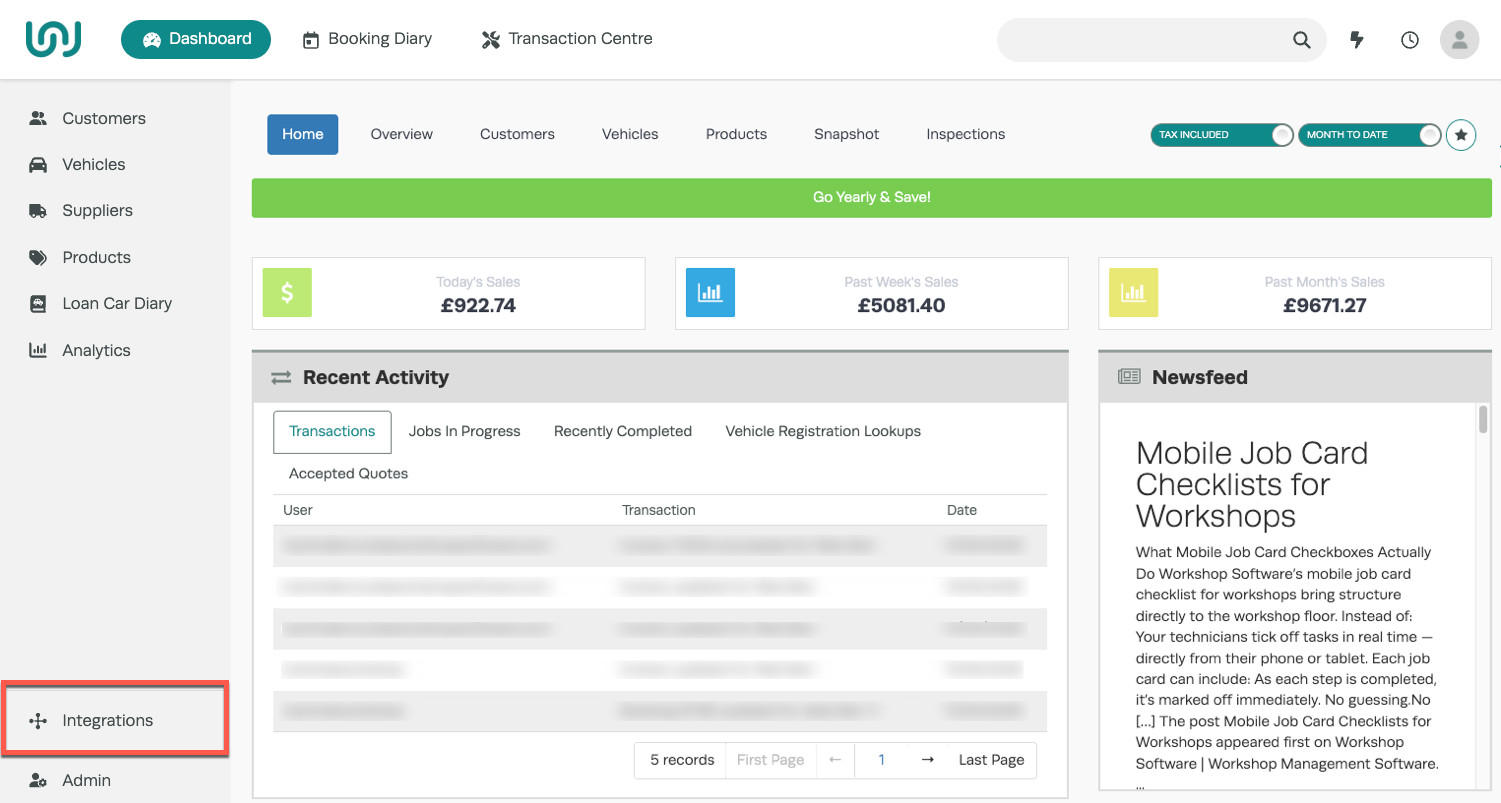 2. Select the Automotive tab, then click on DVLA Lookup to open the activation screen. On this screen, click the green Activate button and confirm the activation (a green banner will appear confirming that the DVLA Lookup is activated).
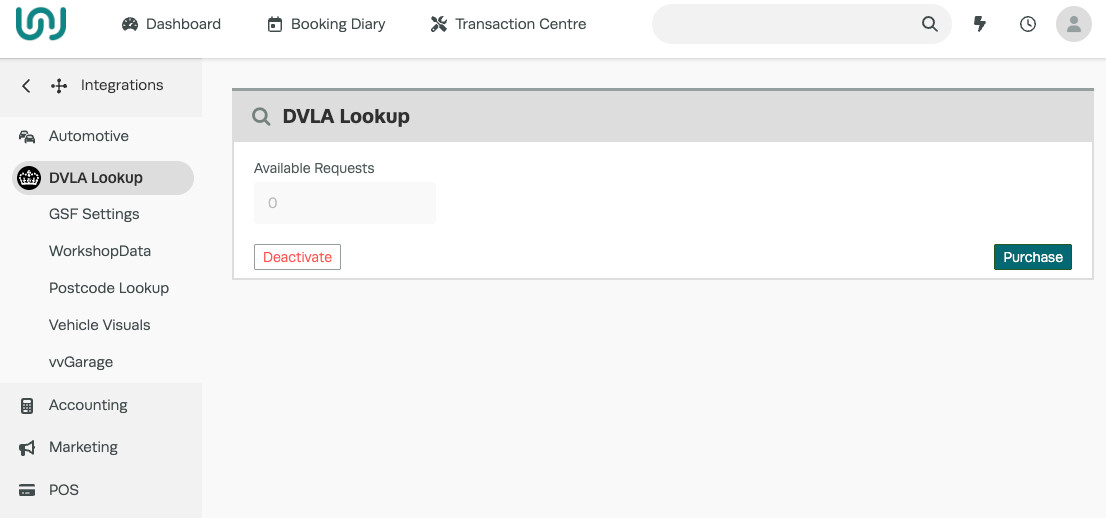
 3. You can click the green Purchase button to buy vehicle lookups, and you can purchase as many lookups as you like and top up or buy more at any time. Prices are in GBP (British pounds).
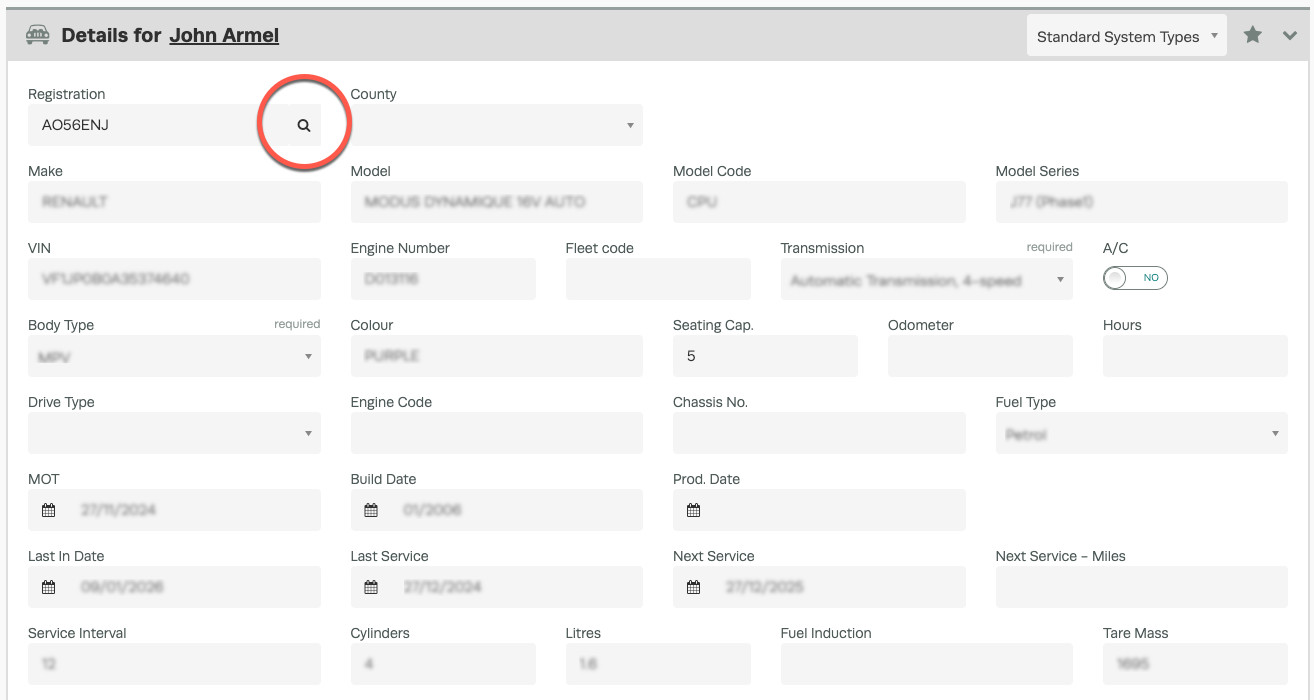
 4. In Workshop Software, the DVLA vehicle lookup tool can be used when adding a new Customer and Vehicle. either from the menu on the left-hand side or while creating a Booking or Customer Invoice. Start by typing the vehicle registration, then click the magnifying glass icon to perform the DVLA lookup and retrieve the vehicle details.
Good to Know
- Make sure you click Save after making your changes. If you navigate away before saving, your changes will be lost.
- If you experience any issues during setup, contact the Workshop Software support team for assistance.
Frequently Asked Questions
What do I do if the integration is not working?
First, check that your credentials are entered correctly and that both systems are accessible. If the issue persists, check the event log in Workshop Software for specific error messages, or contact the Workshop Software support team for assistance.
Can I disconnect this integration later?
Yes. You can disable or disconnect the integration at any time through the integration settings in Workshop Software. Disconnecting does not delete any data that has already been synced.
