 Skip to content
Using WorkshopData Labour Times Lookup in Workshop Software
Workshop Software integrates seamlessly with WorkshopData to deliver accurate, manufacturer-based labour times and service information. This includes both maintenance schedules and repair time estimates, allowing workshops to:
- Quickly pull in relevant labour data
- Streamline quoting, job cards, and invoicing
- Improve transparency and communication with customers
How It Works
Step 1: Access Labour Times
- Select a vehicle on a Customer Invoice.
- Click the down arrow under the product lines.
- Choose HaynesPro Labour Times from the dropdown.
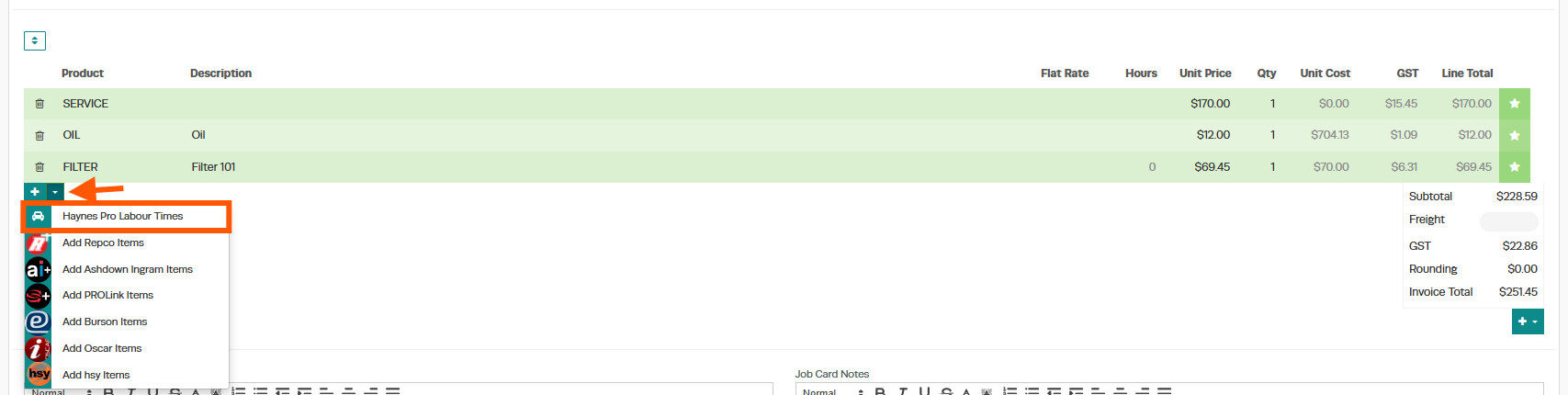
Workshop Software will retrieve all available labour operations and times for the selected vehicle.
Step 2: Select Labour Tasks
The interface will display:
- Scheduled service tasks (e.g. 48,000 km / 36 months service)
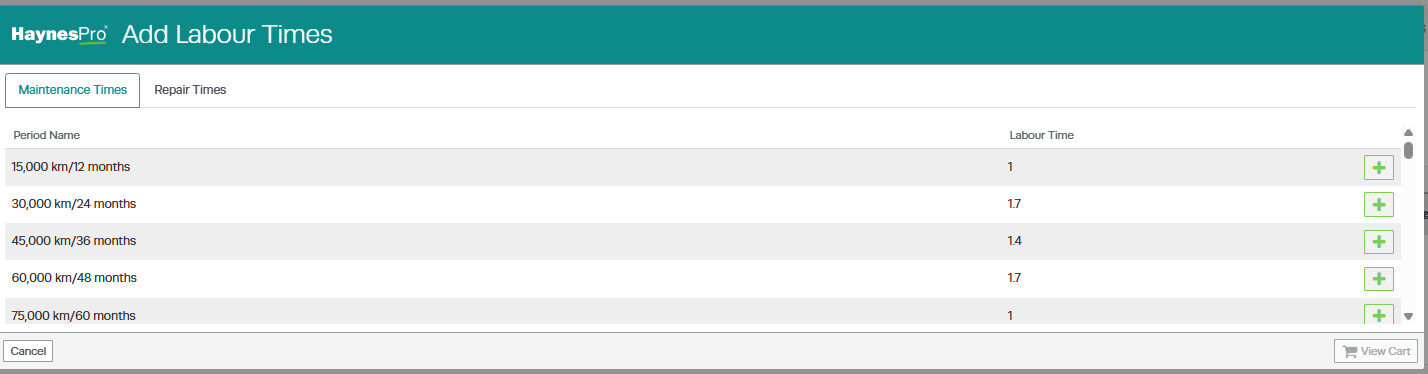
- Repair operations (e.g. Renew engine oil and filter)
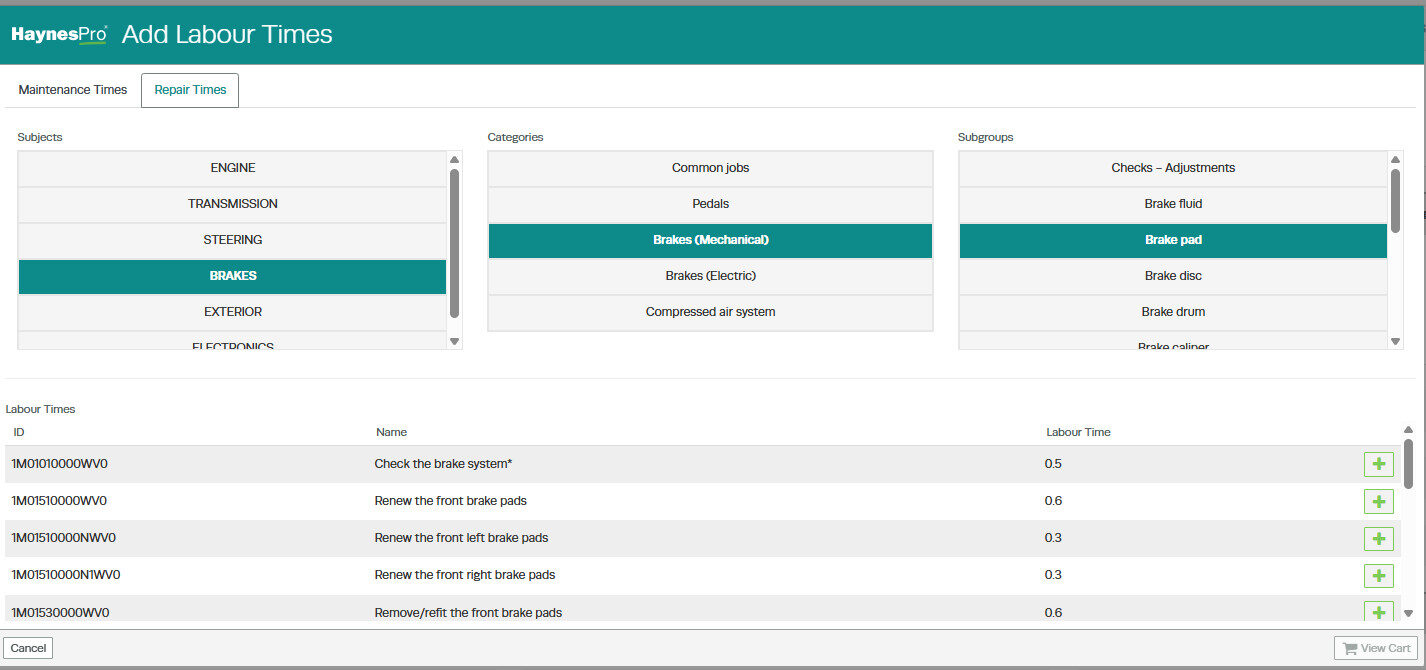
- Optional recommendations, depending on the selected service
Each item includes a time estimate and notes provided by HaynesPro.
Step 3: Add Tasks to the Job
- Select the relevant labour tasks.
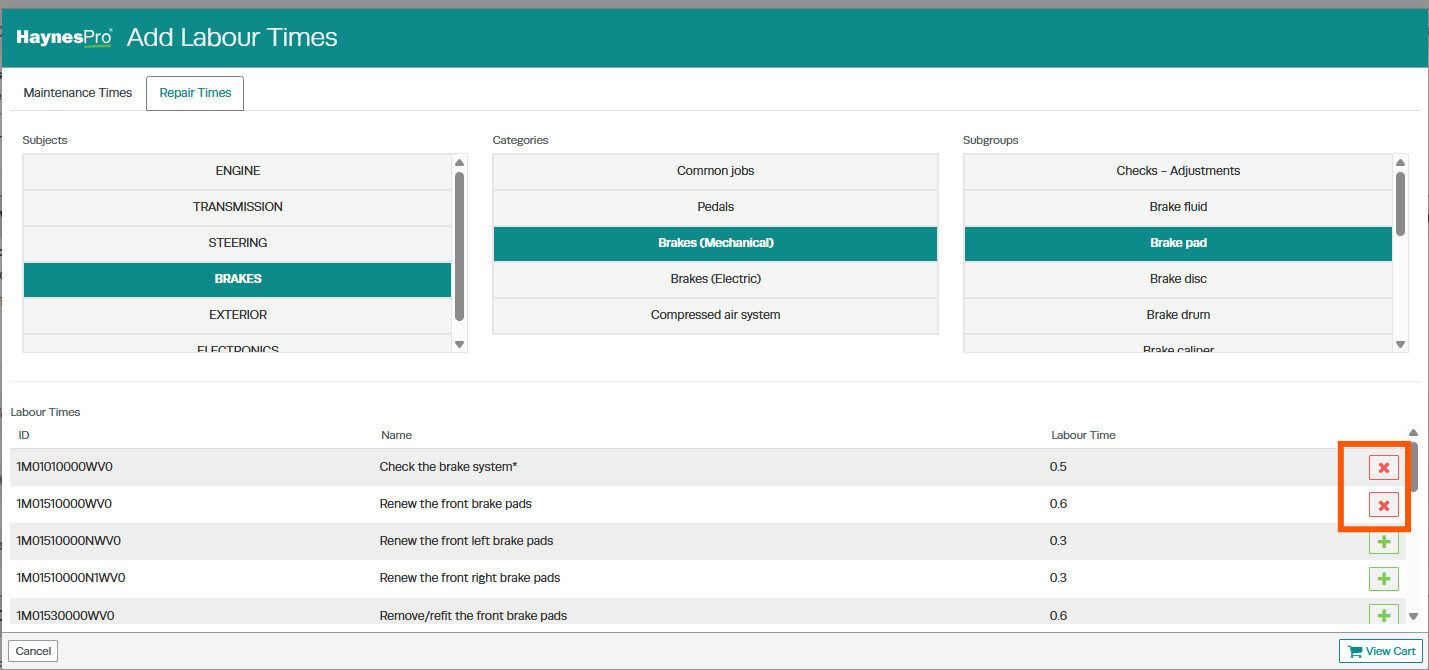
- Click View Cart to review your selections.
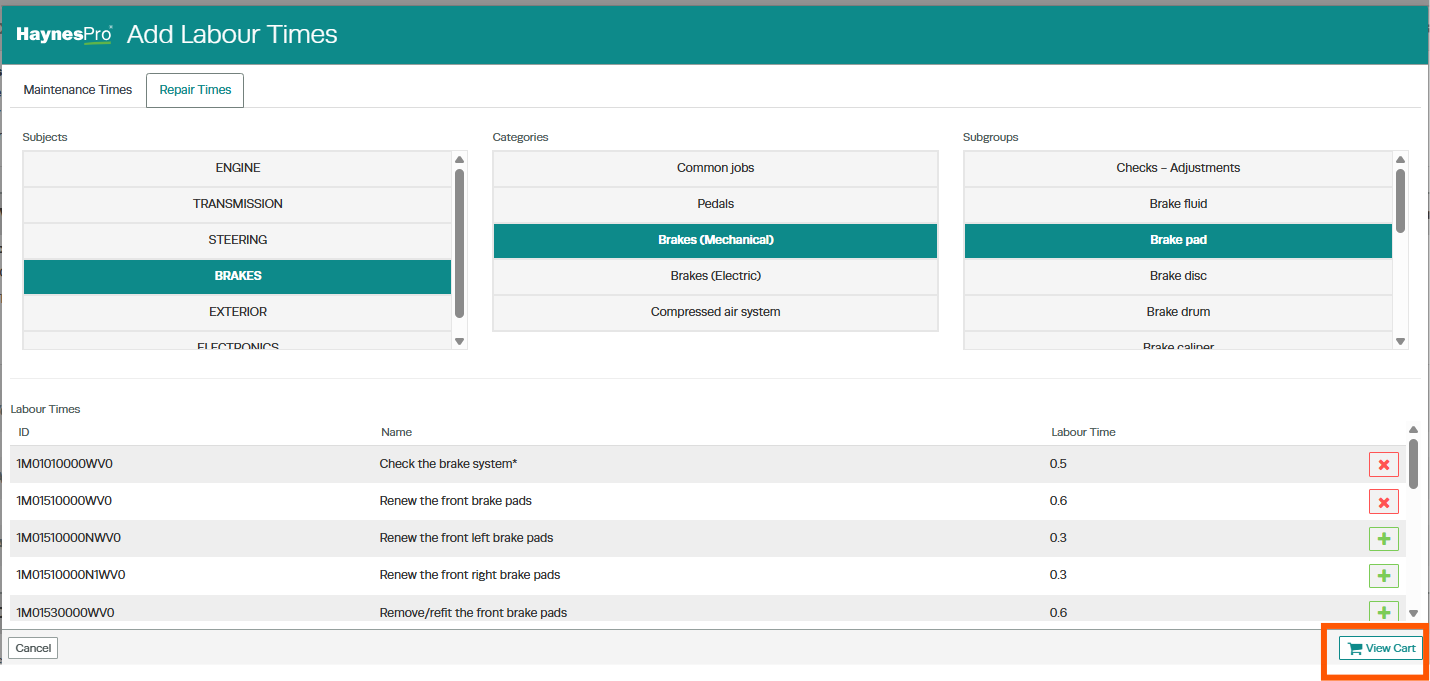
- Then click Checkout to import them into Workshop Software.

These tasks will automatically be added to the Customer Invoice or Job Card, including:
- Description
- Estimated time
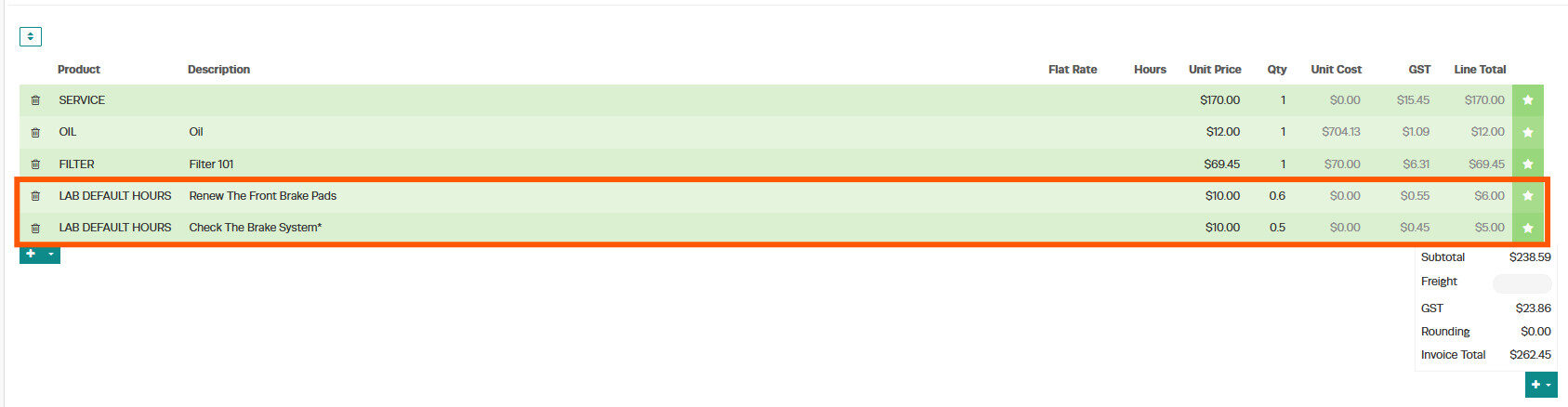
- Notes (under the Action Button > Notes)
You can edit these notes before finalising the document.
Step 4: Generate Job Cards and Invoices
Once imported, all selected labour tasks will appear in:
- Job Cards
- Invoices
This ensures your customer receives a professional, detailed summary of the services performed.
Troubleshooting: ‘Checkout’ Button Not Working
If you are unable to complete the checkout from HaynesPro into your invoice or booking, please check your system settings:
- Go to Company Settings.
- Ensure you have a Default Labour Product set.
This is necessary because Workshop Software uses this product to calculate costs based on HaynesPro labour time.
If this isn’t set, the system cannot process the request.
