Skip to content
Two-Way SMS Is Here — And It’s Going to Change How You Talk to Customers
Stop playing phone tag. Start having real conversations.
If you’ve ever spent 20 minutes trying to reach a customer to get approval on a job — leaving voicemails, sending emails, waiting — you already know the problem. And you already know how much time (and money) that costs you.
Today, that changes.
Two-Way SMS is now live in Workshop Software. And it’s one of the most useful things we’ve ever added.
What Is Two-Way SMS?
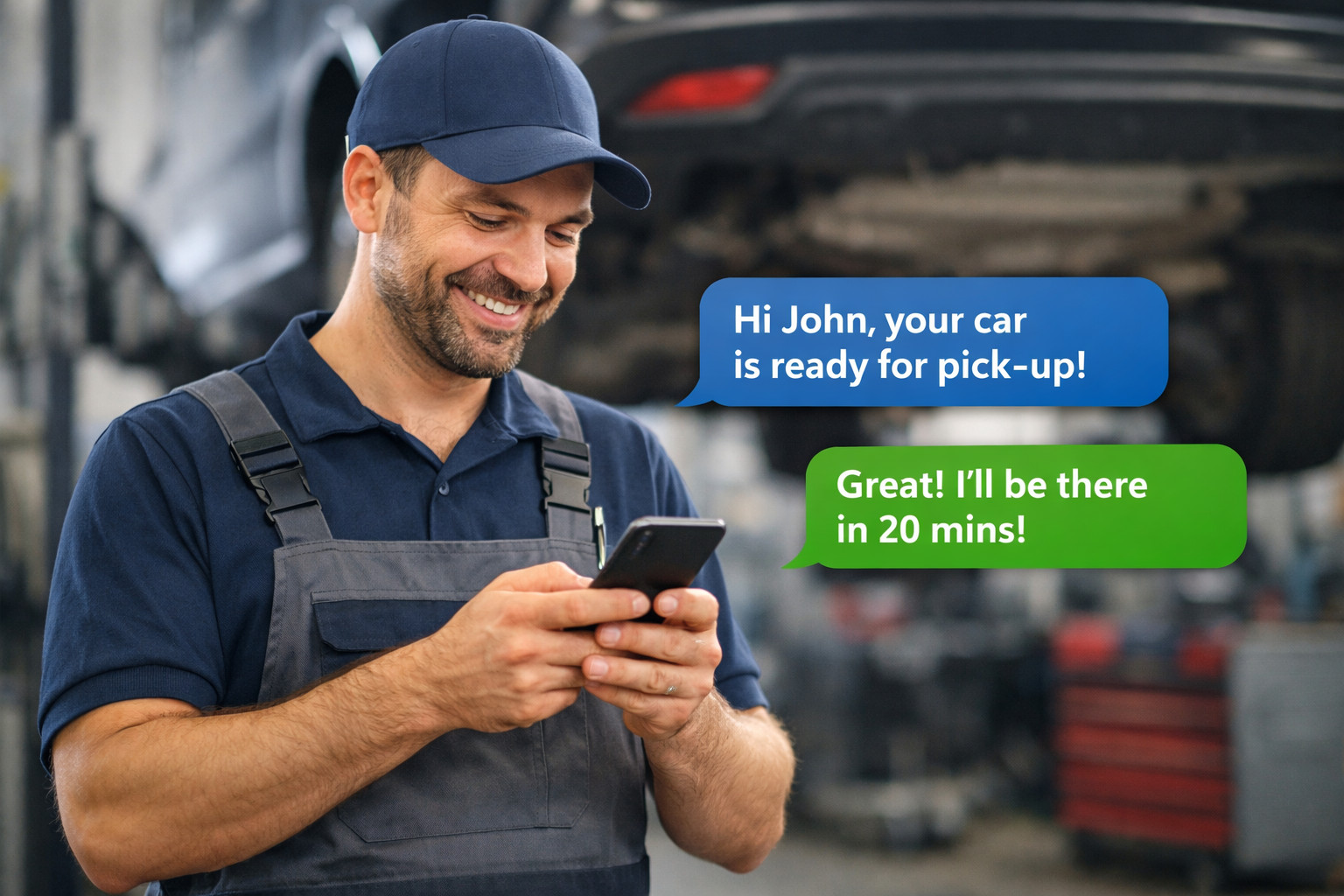
It’s exactly what it sounds like. You send your customer an SMS from Workshop Software. They reply. You see their reply right there in the system. You respond. It’s a real back-and-forth conversation — not a one-way blast into the void.
No more calling five times before someone picks up. No more waiting for an email reply that never comes. Just a simple, direct text exchange that keeps the job moving and keeps your customer in the loop.
Why This Matters for Your Workshop
Think about a typical morning. You’ve got a car that needs extra work. You need the customer’s approval before you can proceed. In the old world, you’re picking up the phone, leaving a message, waiting, calling again, maybe trying an email… meanwhile that hoist is sitting idle and your tech is waiting on something else.
With Two-Way SMS, you send one message: “Hi James — we’ve found an issue with your front brakes while doing your service. Happy to get a quote sorted. Can we go ahead?”
Two minutes later: “Yes, go for it.”
Job approved. Car back on the hoist. Revenue captured. Customer happy.
That’s the difference.
How to Get It Set Up
It’s straightforward to activate:
- Head to CRM Tools → Two-Way SMS in your Workshop Software account
- Click Activate — you’ll see the pricing for your region right there
- There’s a small one-off setup fee (covers getting your dedicated phone number provisioned) plus a small monthly cost, which just rolls into your existing Workshop Software subscription
- In Australia, your number is ready in 24–48 hours. Other regions may take a little longer.
- You’ll get notified as soon as you’re live — then you’re off and running
Once it’s active, a new icon appears in your menu. You’ll see all your customer conversations in one place, get notified of new messages, and be able to search through conversations whenever you need them.
It’s Simpler Than You Think
If you can send a text on your phone, you can use this. Search for a customer, type your message, hit send. Their reply comes back right there. You can mark messages as unread, jump to the customer’s full record, and manage everything from the one screen.
There’s no new app to learn. No complicated setup. It just lives inside Workshop Software, where everything else already is.
Don’t Leave It Sitting There
Features like this are easy to activate and then… never activate. Don’t let that happen here.
This one genuinely earns its keep — in jobs approved faster, customers who feel looked after, and afternoons where you’re not still chasing callbacks.
Log into Workshop Software now, go to CRM Tools → Two-Way SMS, and get it switched on.
Your customers are already comfortable with SMS. Meet them where they are.
Questions about Two-Way SMS? Contact our support team — we’re here to help you get set up.
Ready to activate? Log into Workshop Software now.
Further Reading
Ready to get Two-Way SMS set up? These guides walk you through everything:
- Two-Way SMS Setup Guide
- Two-Way SMS — Communicating with Customers in Workshop Software
- How to Send an SMS to a Customer
- Send Out a Google Review to Your Customers via SMS